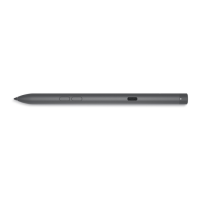
Chapter 1: What’s in the box......................................................................................................... 4
Chapter 2: Features...................................................................................................................... 6
Chapter 3: Setting up your PN7522W............................................................................................ 8
Connecting and charging your pen................................................................................................................................. 8
Manual Bluetooth pairing................................................................................................................................................... 8
Chapter 4: Dell Peripheral Manager..............................................................................................10
Chapter 5: Holding your PN7522W............................................................................................... 11
Chapter 6: Specifications............................................................................................................ 12
Chapter 7: Replacing the pen nib................................................................................................. 13
Chapter 8: Tile............................................................................................................................. 14
Chapter 9: Troubleshooting......................................................................................................... 15
Chapter 10: Statutory information............................................................................................... 16
Chapter 11: Regulatory statement ............................................................................................... 17
Chapter 12: Getting help and contacting Dell............................................................................... 18
Contents
Contents 3



 To Next Page