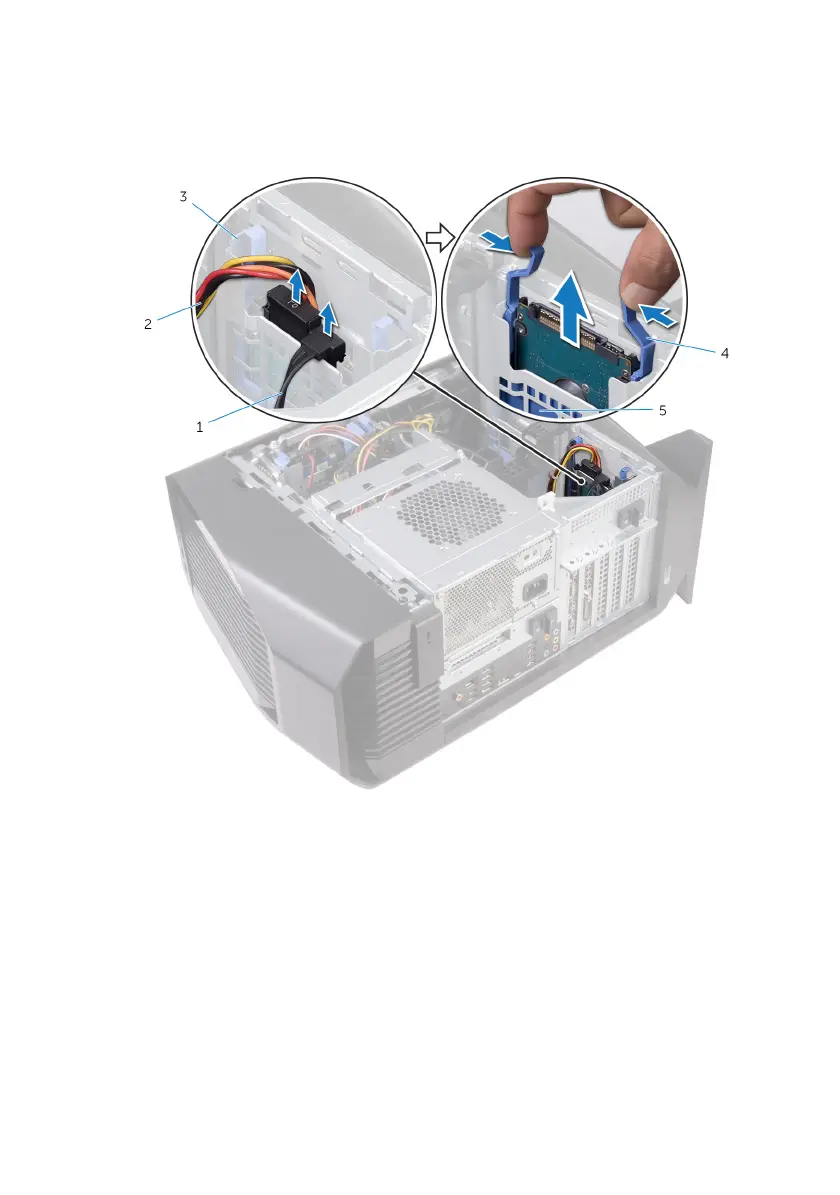
2 Press the release tabs on the hard-drive carrier and slide the hard-drive
carrier out of the hard-drive cage.
Figure 15. Removing the hard drive
1 data cable 2 power cable
3 hard-drive cage 4 release tabs
5 hard-drive carrier
3 Pry the hard-drive carrier to release the tabs on the carrier from the slots on
the hard drive.
50










 To Next Page