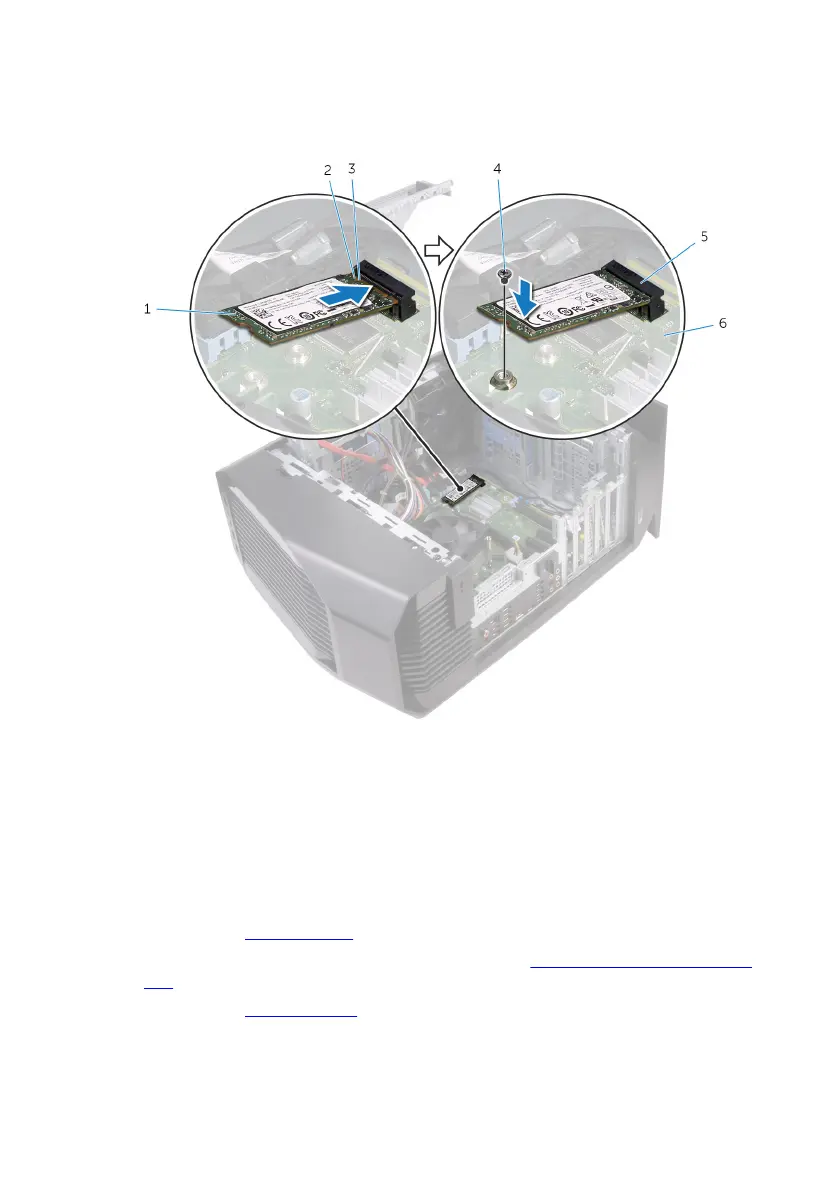
3 Press the other end of the solid-state drive down and replace the screw that
secure the solid-state drive to the system board.
1 solid-state drive 2 notch
3 tab 4 screw
5 solid-state drive slot 6 system board
Post-requisites
1 Replace the graphics card.
2 Follow the procedure from step 10 to step 11 in "Replacing the power-supply
unit".
3 Replace the left-side cover.
79










 To Next Page