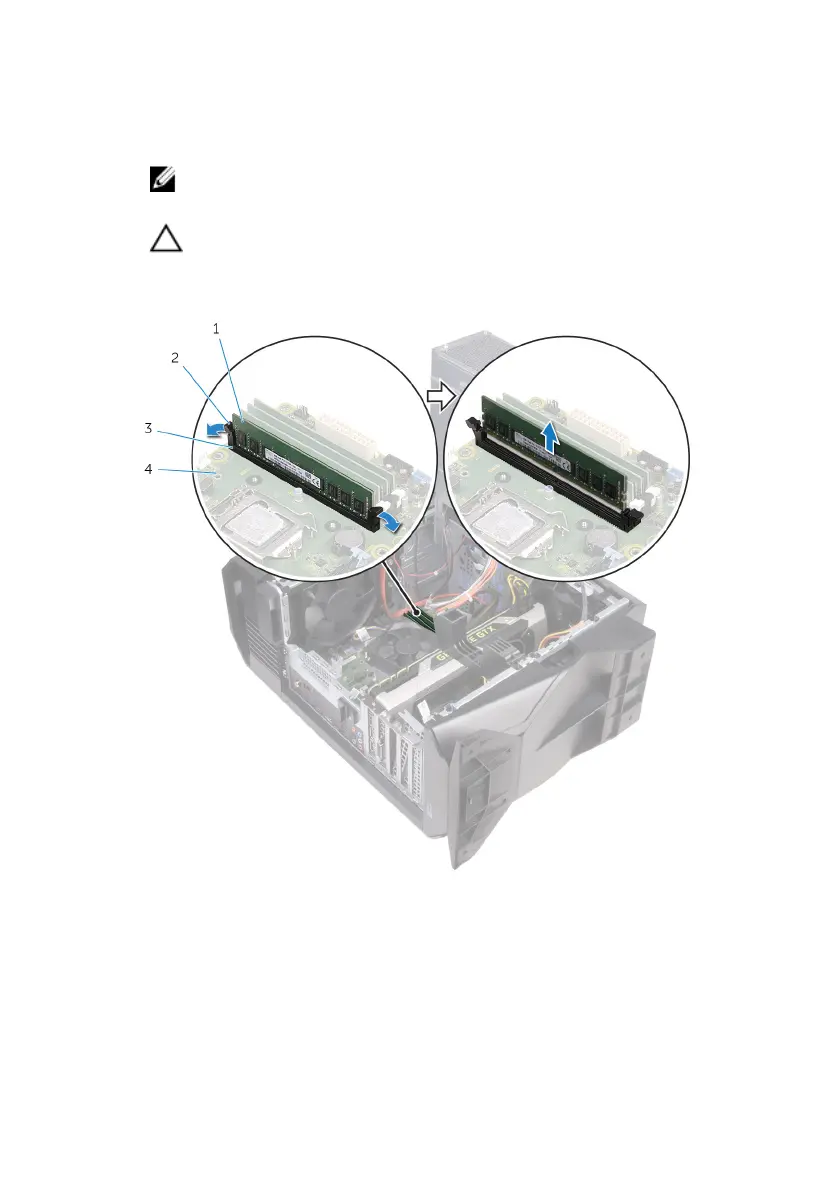
3 Grasp the memory module near the securing clip, and then gently ease the
memory module out of the memory-module slot.
NOTE: Repeat step 2 to step 3 to remove any other memory
modules installed in your computer.
CAUTION: To prevent damage to the memory module, hold the
memory module by the edges. Do not touch the components on
the memory module.
Figure 22. Removing the memory module
1 memory module 2 securing clips (2)
3 memory-module slot 4 system board
72










 To Next Page