12 | About Your Display
7 USB 3.0 downstream
ports (3)
Connect your USB device.
You can only use this connector after you have connected
the USB cable to the computer and USB upstream
connector on the display.
8 USB Dedicated charging
port
USB 3.0 with 12.5 W - For WR517 Wireless
Receiver(Optional) Power supply (5V/2.5A)
9 RS232 connector Remote management and control of display via RS232
10
RJ-45 connector Remote Network Management and control of display via
RJ-45
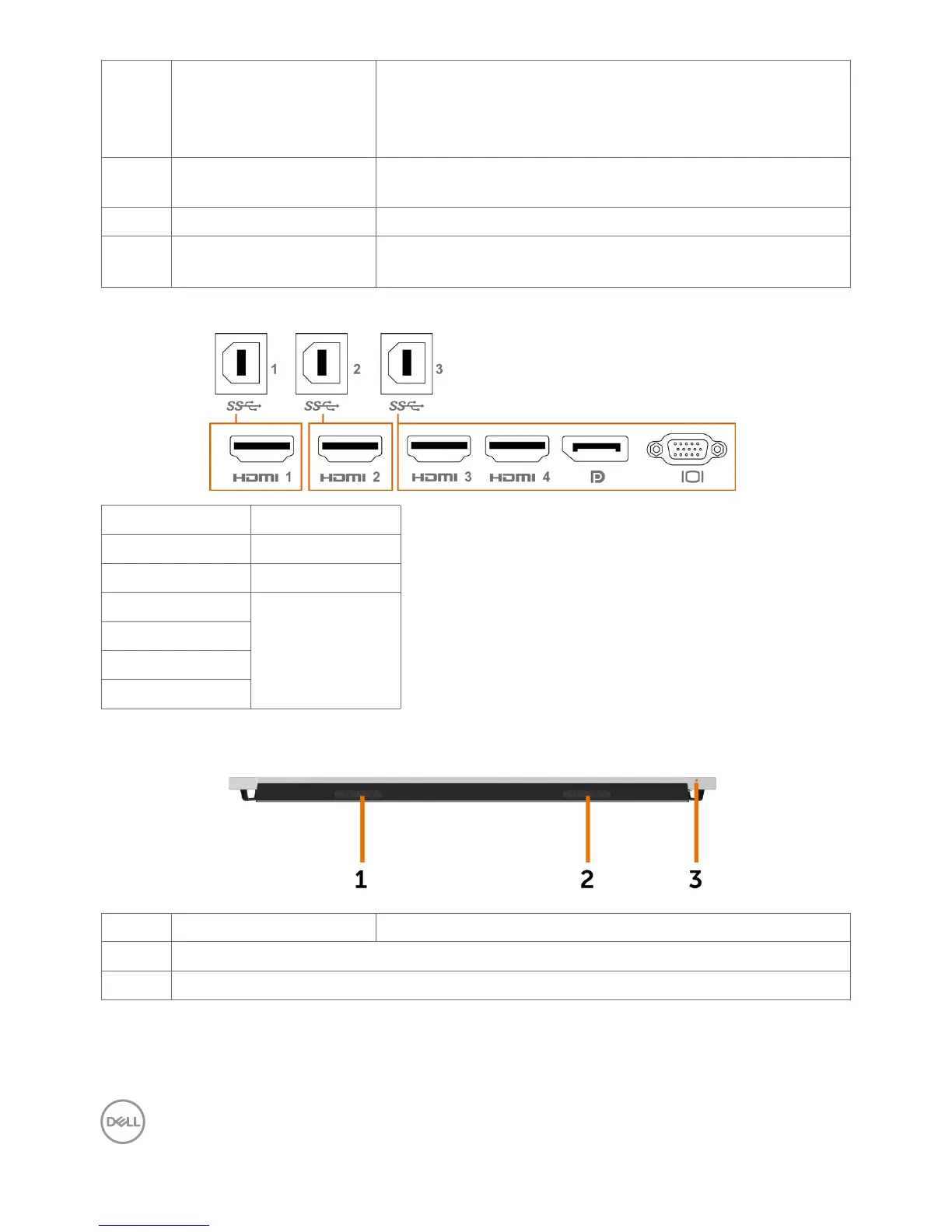
Input sources and USB pairing
Input sources USB upstream
HDMI 1 USB 1
HDMI 2 USB 2
HDMI 3
USB 3
HDMI 4
DP
VGA
Bottom View
Label Description Use
1, 2
Speakers
3
Power on/off button



 To Next Page