28 | Setting Up the Display
Optiplex (Optional)
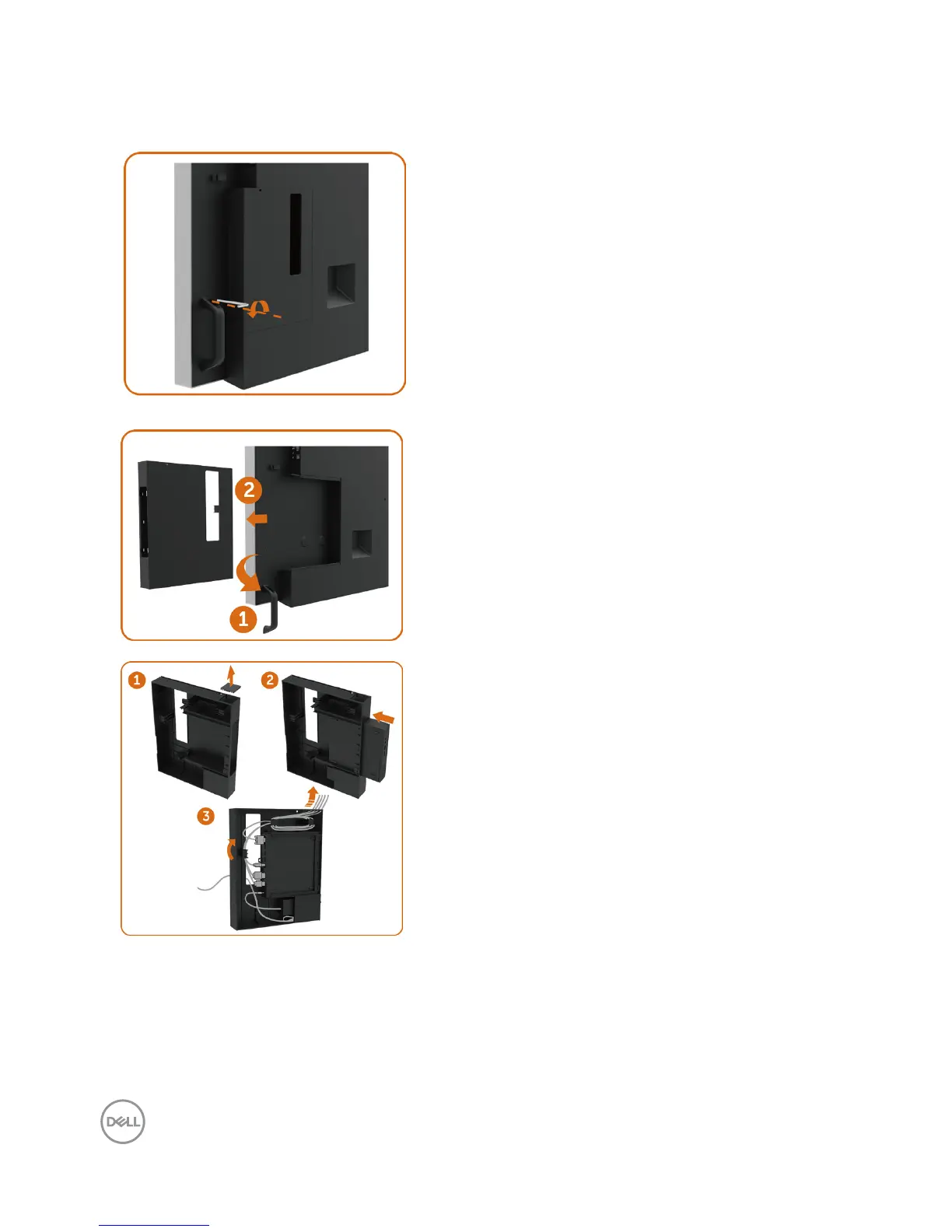
Attaching the Optiplex
• Loosening the handle by removing the top
screw with the Allen key provided.
1. Rotate handle.
2. Remove the Optiplex holder.
1. Remove cable cover.
2. Install Optiplex PC and power adapter into
respective slot.
3. Insert and organize the cables.



 To Next Page