Allows you to set the OSD display to one of five languages: English, Espanol, Francais, Deutsch, or Japanese.
Allows you to adjust the OSD background from opaque to transparent.
Allows you to set the time for which the OSD remains active after you press a button on the monitor.
Use the and buttons to adjust the slider in 1 second increments, from 5 to 60 seconds.
Controls user access to adjustments. When Lock
is selected, no user adjustments are allowed. All buttons are locked except
NOTE: When the OSD is locked, pressing the menu button takes you directly to the OSD settings menu, with 'OSD Lock' pre-
entry.Pressandhold button for 15 seconds to unlock and allow user access to all applicable settings.
Turns on or off the button sound.
DDC/CI (Display Data Channel/Command Interface) allows a software on your computer to adjust the monitor display settings like the
brightness, color balance etc.
Enable (Default): Optimizes the performance of your monitor and provides a better customer experience.
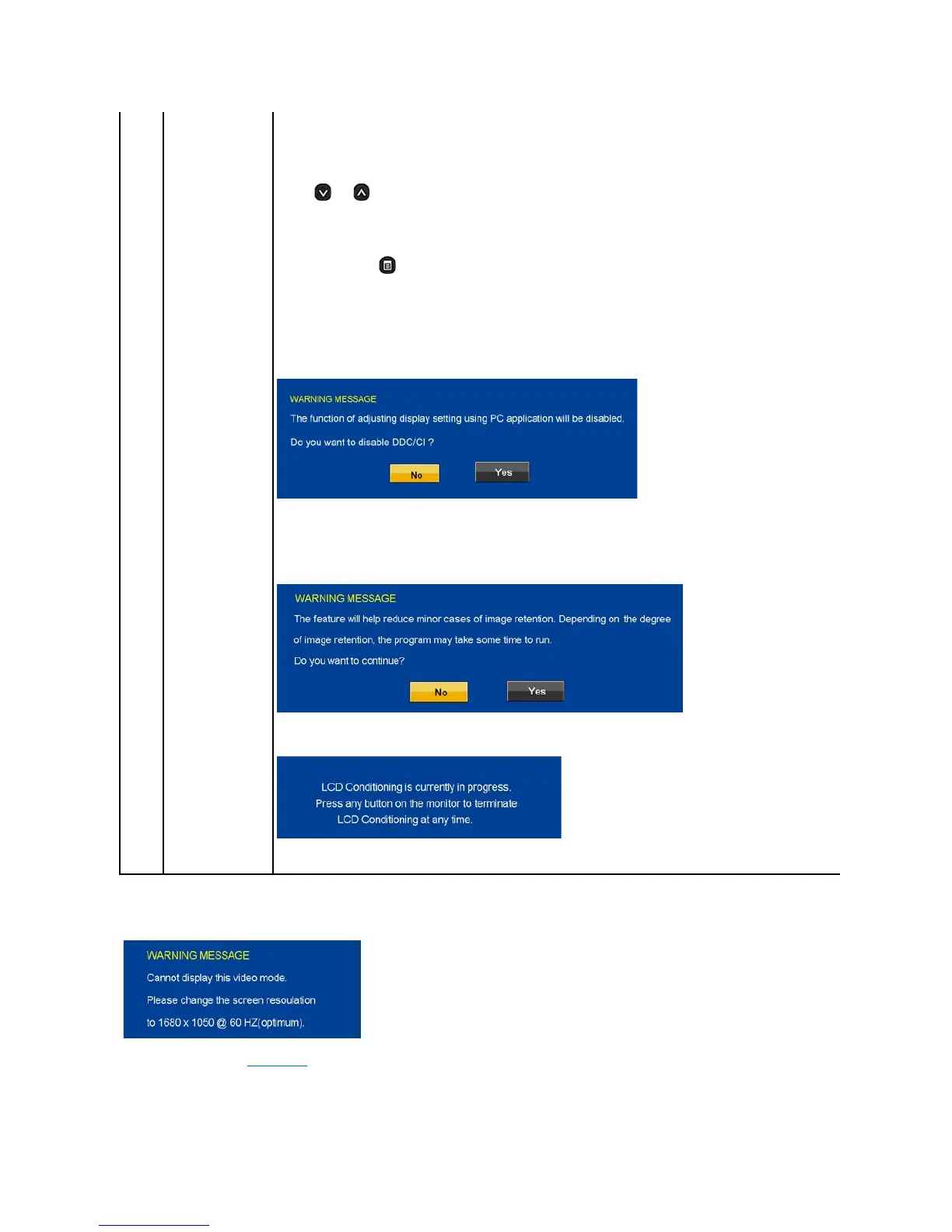
Disable: Disables the DDC/CI option and the following message appears on the screen.
Select Yes to disable DDC/CI or No to return.
LCD conditioning helps eliminate any image retention and may take several hours.
NOTE: Severe cases of image retention are known as burn-in. LCD Conditioning does not remove burn-in.
Disable: This is the default option.
Enable: Enables LCD conditioning and the following message appears on the screen. Select Yes to proceed and No to return.
NOTE: Press any button on the monitor to terminate LCD Conditioning at any time.
ResetsallOSDsettingstothefactorypresetvalues.
The following warning messages may appear on the screen to indicate that the monitor is out of synchronization.
This means that the monitor cannot synchronize with the signal that it is receiving from the computer. Either the signal is too high or too low
forthemonitortouse.SeeSpecificationsfortheHorizontalandVerticalfrequencyrangesaddressablebythismonitor.Recommendedmode
is 1680 X 1050 @ 60Hz.
If the HDMI cables are not connected, a floating dialog box as shown below appears.












 To Next Page