12 Using On Screen Display (OSD) Functions
Using On Screen Display (OSD) Functions
Your monitor’s settings are adjusted with the following buttons:
Button Function
MENU
Display main menu
Conrm Selection
AUTO
Manual adjust mode select for VGA, HDMI mode
Exit from main menu or return to previous menu
►
Select the desired item when in OSD menu
When not in OSD menu, directly enters Color Vision Mode
◄
Select the desired item when in OSD menu
When not in OSD menu, directly enters Contrast/Brightness
menu
◄ + ► Recall both Contrast and Brightness (when not in OSD menu)
AUTO + ◄
Power Lock, press 10 seconds to lock, repeat press 10
seconds to unlock(when not in OSD menu)
AUTO + ►
OSD Lock, press 10 seconds to lock, repeat press 10 seconds
to unlock(when not in OSD menu)
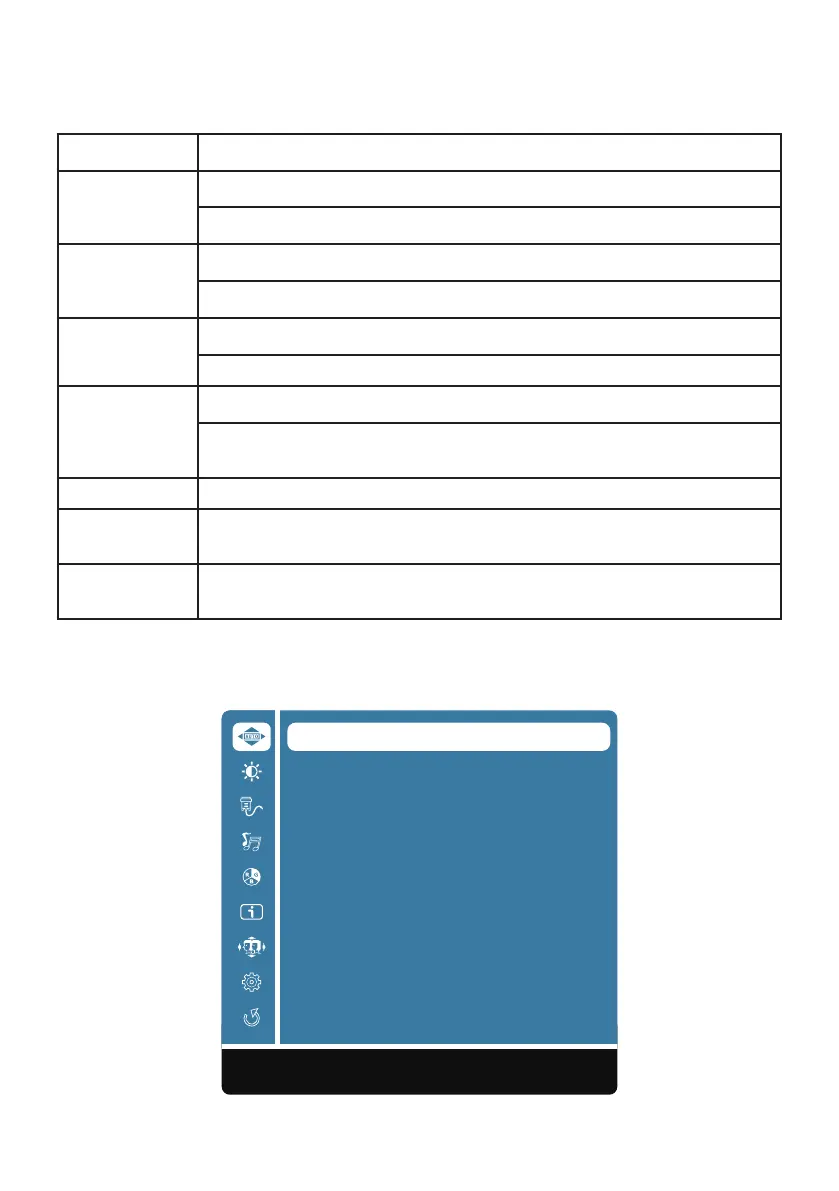
The main menu
Use the monitor’s menu to make adjustments:
Auto Image Adjust
Contrast/Brightness
Input Source
Audio Adjust
Color Adjust
Information
Manual Image Adjust
Setup Menu
Memory Recall
AUTO:Exit MENU:Select










 To Next Page