Need help?
Do you have a question about the Dell D5000 and is the answer not in the manual?
Lists the components included with the docking station.
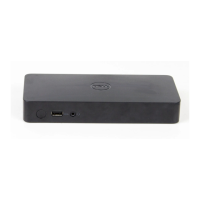
Identifies front view components like pairing button and USB port.
Details WiGig, video, and I/O ports, buttons, and LEDs.
Explains the function of docking status and pairing button LEDs.
Describes the available input/output ports on the docking station.
Steps to reset the docking station to factory settings.
Guide on installing or re-installing the wireless docking software.
Explains how the software scans for available docks and icon colors.
Steps to connect the PC/laptop to the wireless dock.
How to manage the dock, update firmware, and restore settings.
How to use connected display devices as extended monitors.
Procedures for software and hardware shutdown of the docking software.
Lists the necessary requirements for using the Bluetooth Windows Suite.
Instructions on how to enable or disable the Bluetooth adapter.
Definitions of common Bluetooth terms and concepts.
Step-by-step guide for installing the Bluetooth Windows Suite.
Instructions on how to start and access the Bluetooth Windows Suite.
Procedures for removing the Bluetooth Windows Suite from the system.
Steps to find and establish a connection with a Bluetooth device.
Detailed steps for adding a specific Bluetooth device to your system.
How to disconnect and remove a previously added Bluetooth device.
Adjusting general Bluetooth adapter options and notifications.
Managing serial communication ports for Bluetooth connections.
Viewing and managing the properties of installed Bluetooth adapters.
Configuring permissions for file sharing and peripheral device usage.
Managing PIM data synchronization and transfer rules.
Viewing hardware data and other information for Bluetooth devices.
Central point for managing connected Bluetooth devices and their functions.
Requirements for setting up an infrastructure wireless network.
Explains network name (SSID), profiles, and security for wireless networks.
Methods to conserve battery or comply with airplane regulations.
Information on the wireless standards the device supports for compatibility.
 General
| Brand | Dell |
|---|---|
| Model | D5000 |
| Category | Docking Station |
| Language | English |

 To Next Page