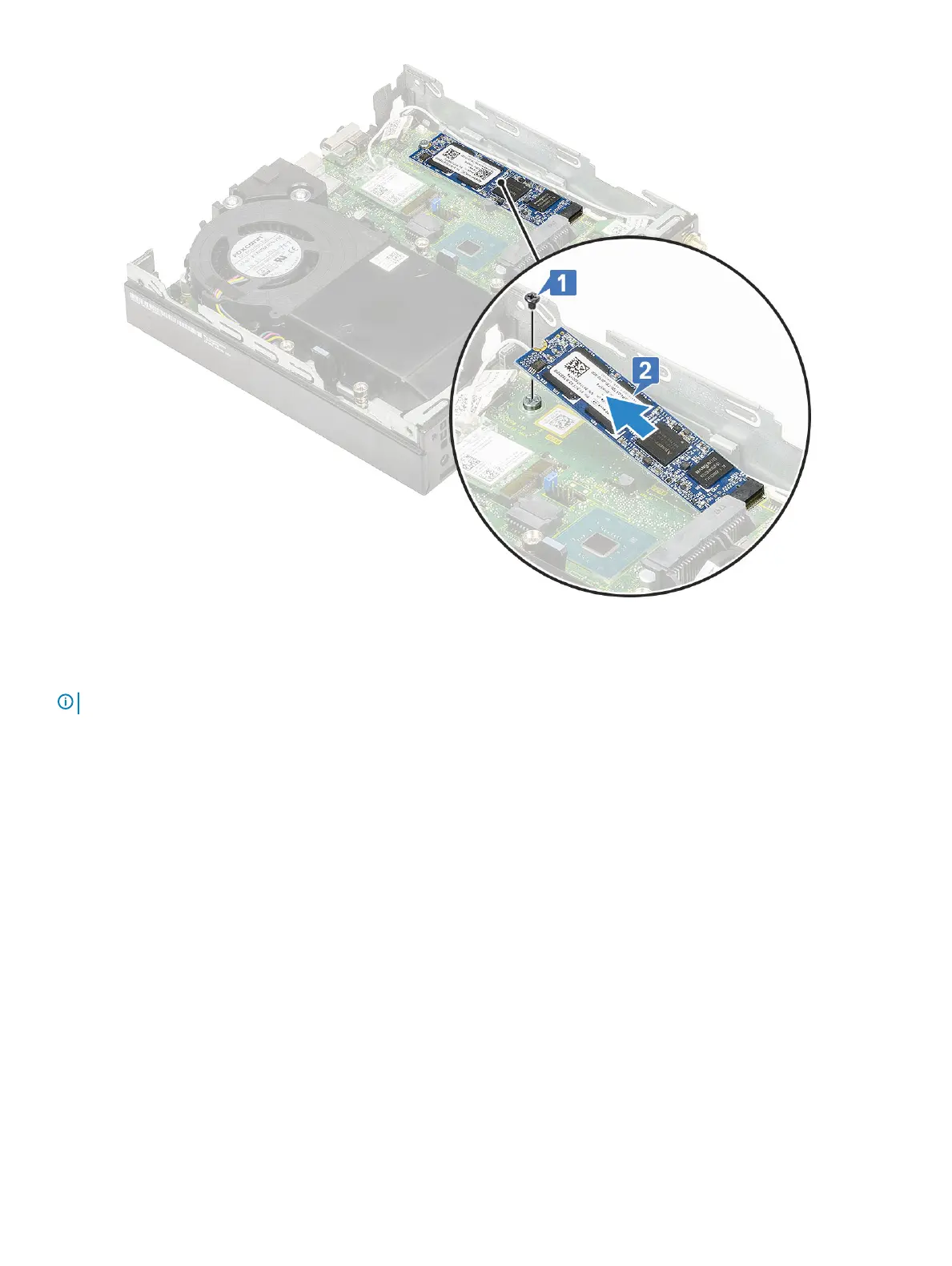
Installing the M.2 PCIe SSD
NOTE
: The instructions are applicable to M.2 SATA SSD also.
1 To install M.2 PCIe SSD:
a Insert the M.2 PCIe SSD to the connector in the system board [1].
b Replace the single (M2X3.5) screw that secures the M.2 PCIe SSD to the system board [2].
Removing and installing components
33



 To Next Page