EasyManua.ls Logo

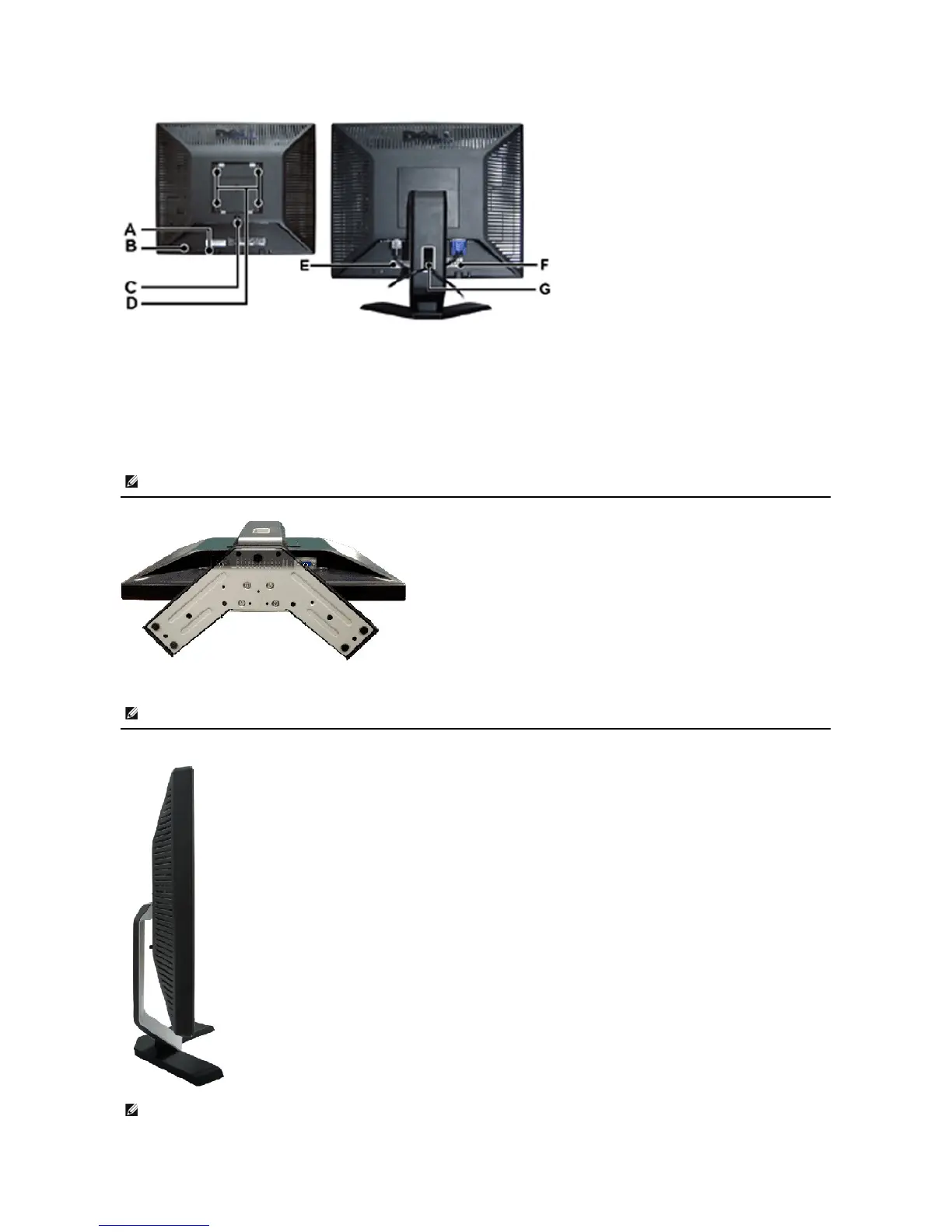
Dell E157FP - Bottom View; Side View

Dell E157FP
28 pages
Print Icon
To Next Page IconTo Next Page
To Previous Page IconTo Previous Page
Loading...
Bottom View
Side View
A
Dell Soundbar mounting brackets - Attach the optional Dell Soundbar.
B
Security lock slot - Attach a lock to secure your monitor.
C
Stand Release button - Press to release the stand.
D
VESA mounting holes (100mm - Behind attached stand) - Use to mount monitor.
E
Barcode serial number label - Refer to this label if you need to contact Dell for technical support.
F
Regulatory rating label - List the regulatory approvals.
G
Cable holder - Help organize cables by passing them through the holder.
NOTE: The graphic is for illustration only. Product appearance may vary.

Other manuals for Dell E157FP

Related product manuals