EasyManua.ls Logo

Dell E153FPc - User Manual

Dell E153FPc
62 pages
Print Icon
To Next Page IconTo Next Page
Loading...
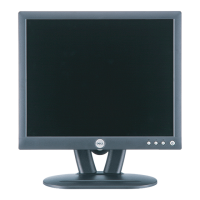
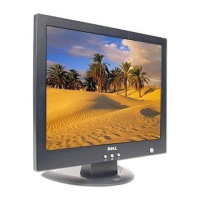
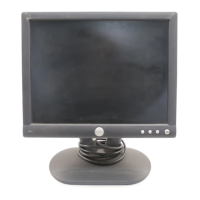
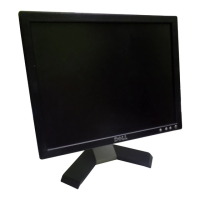
Dell E153FPc
15” LCD MONITOR
DELL E153FPc
THESE DOCUMENTS ARE FOR REPAIR SERVICE INFORMATION ONLY.EVERY REASONABLE EFFORT
HAS BEEN MADE TO ENSURE THE ACCURACY OF THIS MANUAL; WE CANNOT GUARANTEE THE
ACCURACY OFTHIS INFORMATION AFTER THE DATE OF PUBLICATION AND DISCLAIMS RELIABILITY FOR
CHANGES, ERRORS OR OMISSIONS.
Service Manual
www.ma163.com 电子技术资料网

Questions and Answers

  • M
    Michael AdamsJul 31, 2025
    Why does my Dell E153FPc Monitor have no display?
    • A
      Amy BergerJul 31, 2025
      If your Dell Monitor displays nothing, a potential cause could be related to the power supply or internal connections. Check the Wire-Harness from CN101. Check the Power board to see if there is DC level output. Verify the LED status. Ensure the Power switch is in the Power-on status and is not stuck.
  • T
    Tracy RussellAug 14, 2025
    How to troubleshoot a Dell E153FPc with no display?
    • T
      Theresa HolmesAug 14, 2025
      If your Dell Monitor screen is blank, check the Wire-Harness from CN101, verify the Power board for DC level output, and check the LED status. Confirm the Power switch is in the Power-on position and not stuck. If the Main-Board was replaced, redo the DDC-content programmed and White-Balance. If only the Power Board was replaced, redo the White-Balance.

Summary

Safety Precautions

General Safety, Laser, and Handling

Covers high voltage, laser safety, ESD, and environmental handling precautions.

Monitor Specifications

Operation Instructions

Basic Operation and Controls

Explains turning on/off, control buttons, and power indicator states.

Picture Adjustment via OSD Menu

Step-by-step guide for OSD menu navigation and picture adjustment.

Input;Output Specifications

Mechanical Instructions

Schematics

Main Board Circuit Schematic

Detailed schematic diagram for the monitor's main processing board.

Power and Inverter Circuit Schematics

Electrical schematics detailing the power supply and backlight inverter circuits.

Maintainability and Troubleshooting

Main Board Troubleshooting

Diagnostic steps for resolving issues related to the main board.

Panel Power and Inverter Troubleshooting

Flowcharts for diagnosing problems with the panel power circuit and inverter control.

Scalar IC (U102) Output Troubleshooting

Steps to diagnose issues with the scalar IC (U102) signal output.

No Power Troubleshooting (Inverter;Power Board)

Diagnostic procedures for no power conditions on the inverter/power board.

No Backlight Troubleshooting (Inverter;Power Board)

Flowcharts for diagnosing backlight issues on the inverter/power board.

White Balance and Luminance Adjustment

ISP User Manual

Dell E153FPc Specifications

General IconGeneral
BrandDell
ModelE153FPc
CategoryMonitor
LanguageEnglish

Related product manuals