1. Video connector
2. Audio connector
3. Power status LED indicator
4. Touch status LED indicator
5. Serial connector
6. USB connector
7. AC power
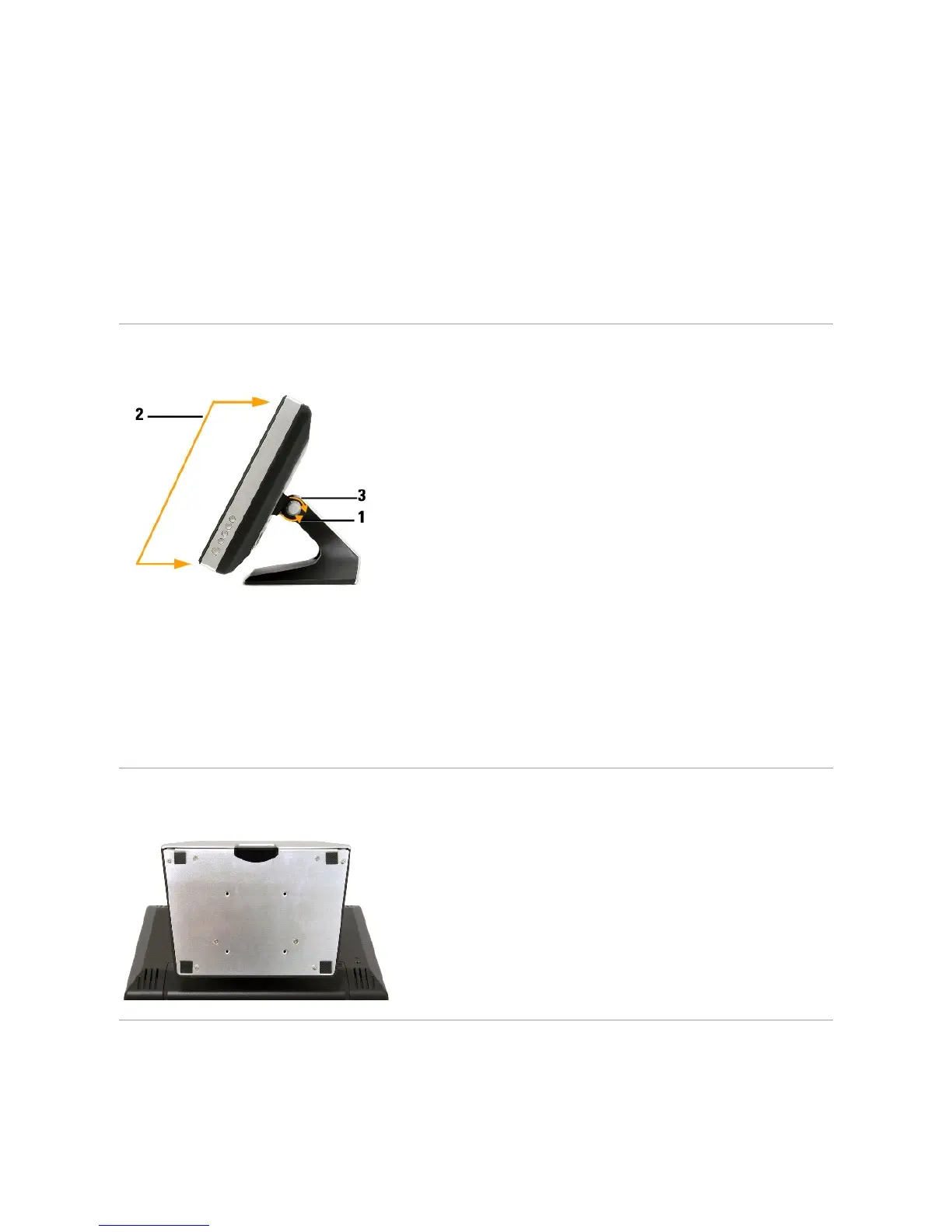
Side View
To adjust monitor angle:
1. Loosen tilt-adjust knob.
2. Position monitor as desired (range is from 30
o
to 90
o
).
3. Tighten tilt-adjust knob. Do not over tighten.
Bottom view
Specifications
The following tables provide information about your touch screen monitor.



 To Next Page