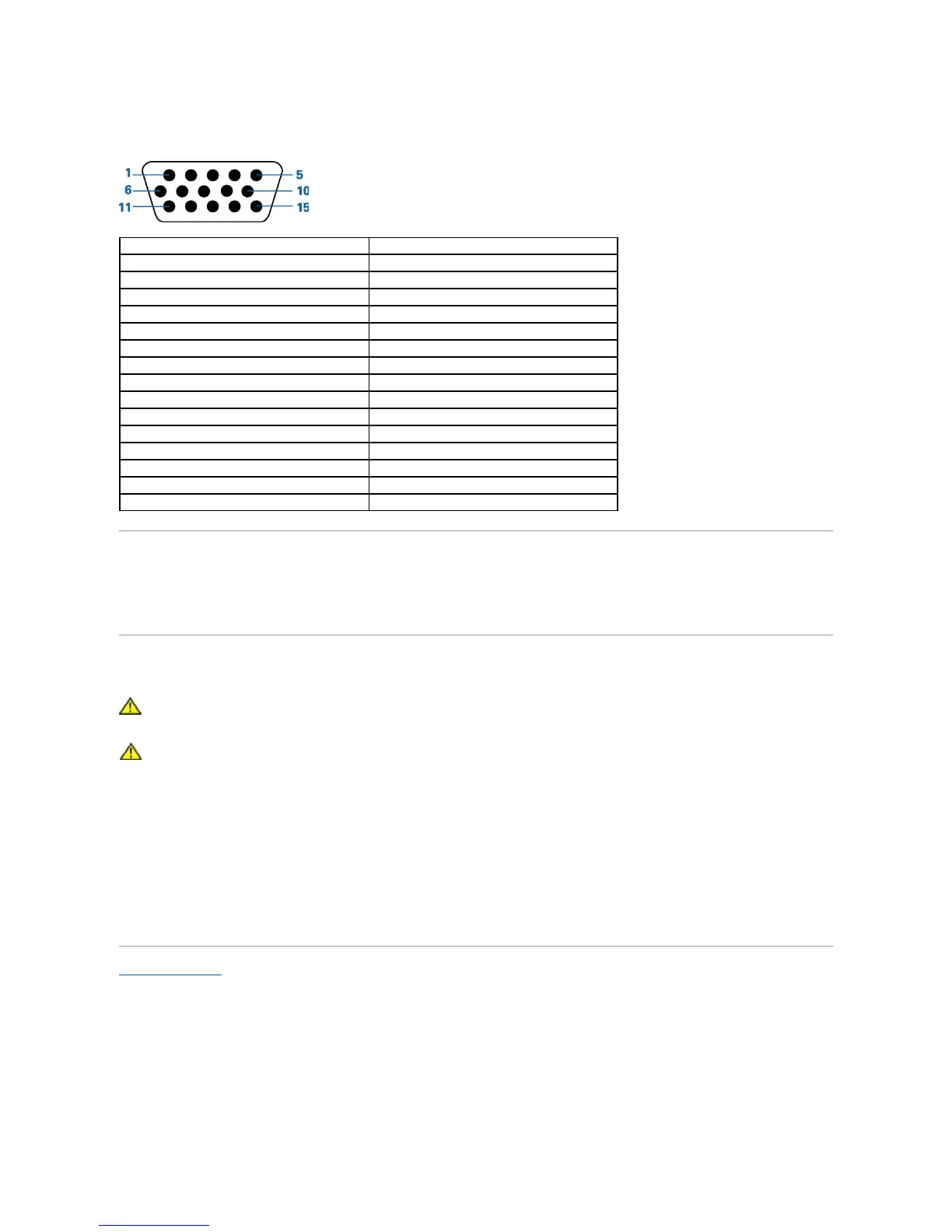
Pin Assignments - 15-pin D-sub connector
Plug and Play Capability
You can install the display in any Plug and Play-compatible system. The display automatically provides the computer system with its Extended Display
Identification Data (EDID) using Display Data Channel (DDC) protocols so the system can configure itself and optimize the display settings. If desired, you can
select different settings, but in most cases display installation is automatic.
Caring for Your Monitor
CAUTION: Read and follow the safety instructions before cleaning the monitor.
CAUTION: Before cleaning the monitor, unplug the monitor from the electrical outlet.
The following tips will help keep your touchmonitor functioning at the optimal level.
l To avoid risk of electric shock, do not disassemble the monitor. The unit is not user-serviceable.
l Unplug the monitor from the power outlet before cleaning.
l For cleaning, do not use alcohol (methyl, ethyl or isopropyl) or any strong solvent. Do not use thinner or benzene, abrasive cleaners, or compressed air.
l To clean the display unit cabinet, use a cloth dampened with a mild detergent.
l Avoid getting liquids inside your touchmonitor. If liquid does get inside, have a qualified service technician check it before you power it on again.
l To clean the touch screen, use window or glass cleaner. Apply cleaner to a rag and wipe the touch screen. Never apply the cleaner directly to the touch
screen.
Back to Contents Page



 To Next Page