Great user manuals database on UserManuals.info
DELL E173FP Service Manual
17
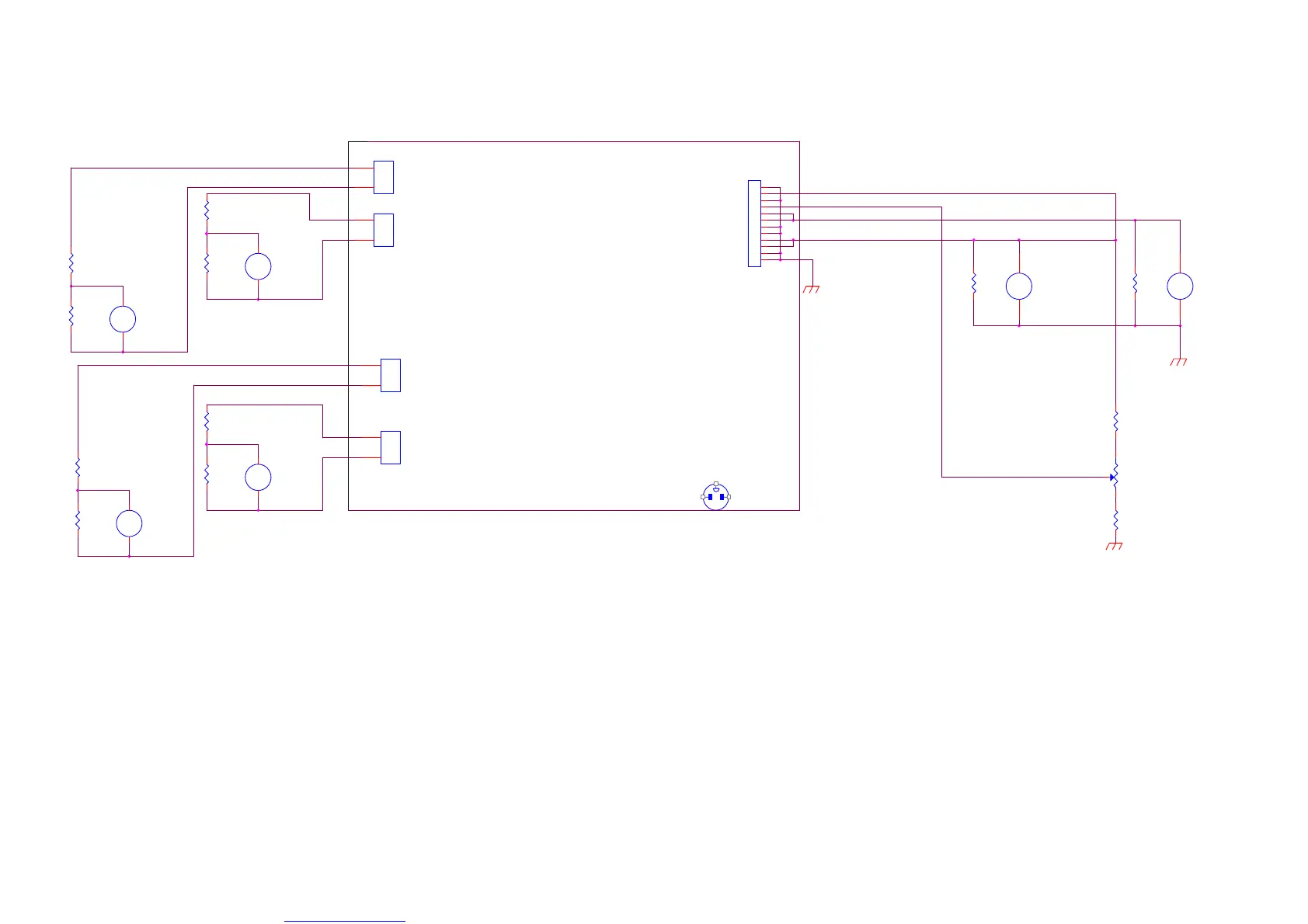
5.3.2Power Block Diagram
R8
CCFL
Vrms
M5
METER V
Note 1: M3 / M4/M5/M6 need to use two channel multimeter , such as
FLUKE 45 , or use the oscilloscope check frequency.
CN901
NL
GND
Vrms
M6
METER V
R12
CCFL
ON/OFF
1. M3 / M4/M5/M6 = 6.5 +- 5 mV @
DIM= 5V
2. Check M3 / M4/M5/M6operating frequency. (
note 1 )
CON207
1
2
GND
CN102
1
2
3
4
5
6
7
8
10
9
11
12
PWPC1742LGD1
GND
R11
10
12V
M3 / M4 /M5/M6= 3.0 +- 5 mV @
DIM= 0V
Vrms
M4
METER V
M1 = 12V +- 0.5V , M2 = 5V +- 0.25V
R6
CCFL
R10
CCFL
CON206
1
2
2. M3 / M4/M5/M6= 55KHz
+- 5 KHz
DIM
R7
10
V
M2
METER V
R2
5
R13
10
VR1
10K
R5
100
Specification :
AC IN
CON208
1
2
R4
560
Function test step :
Vrms
M3
METER V
5V
Step1 :
R1
100
PCB
NO.715L1283-1
Model name :
PWPC1742LGD1
Function test
V
M1
METER V
R9
10
CON205
1
2
1. Adjust VR1 ( Set Vdim voltage from 0V to 5V) , then check M3 /
M4/M5/M6 Vrms .



 To Next Page