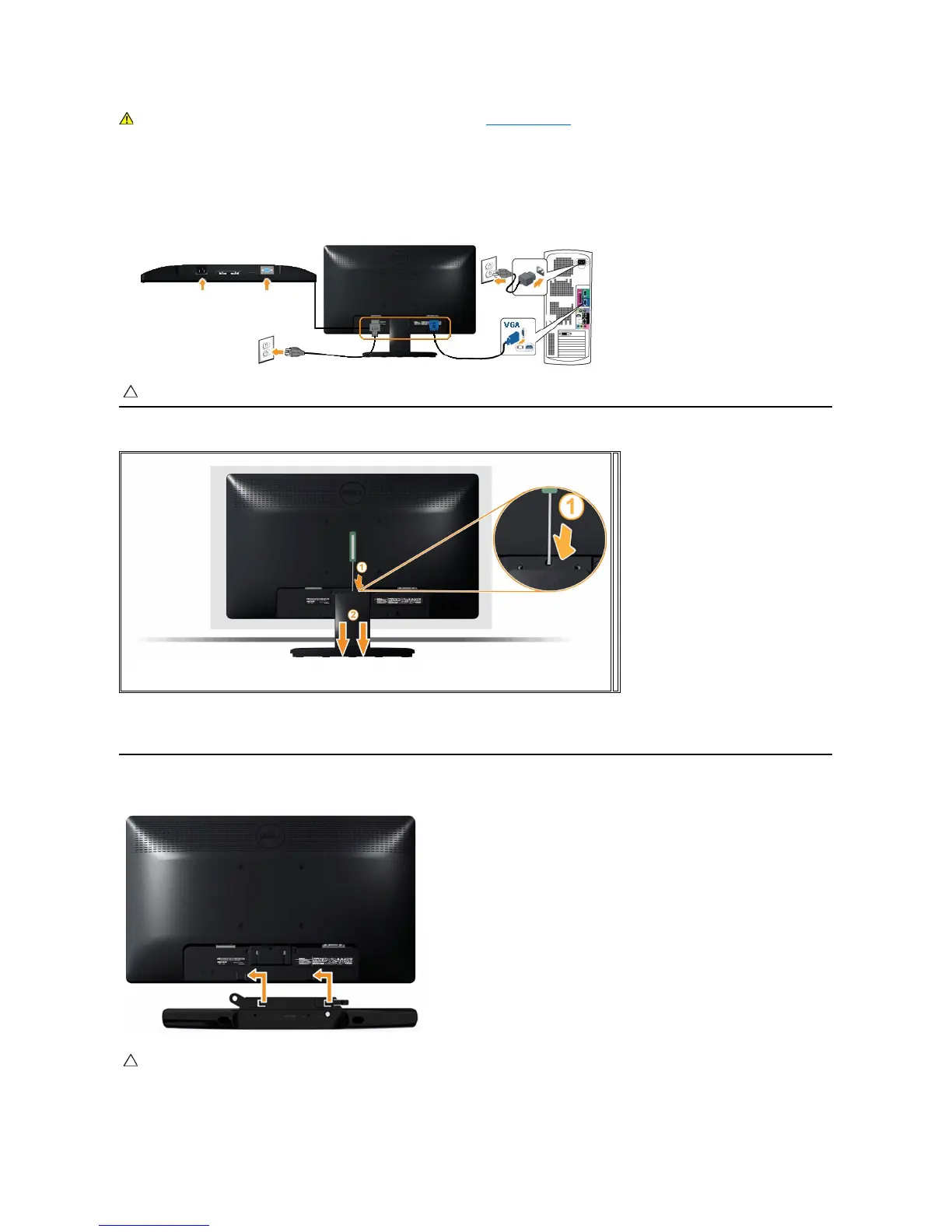
To connect your monitor to the computer:
1. Turnoffyourcomputeranddisconnectthepowercable.
2. Connectthebluedisplayconnectorcabletothecorrespondingvideoportonthebackofyourcomputer.
Connecting the Blue VGA Cable
Removing the Monitor Stand
Attaching the Dell Soundbar
To attach the soundbar:
WARNING: Before you begin any of the procedures in this section, follow the Safety Instructions.
CAUTION: The graphics are used for the purpose of illustration only. Appearance on the computer may vary.
After placing the monitor panel on a soft cloth or cushion, complete the following steps to remove the base:
Use a long screwdriver to push the release latch located in a hole just above the stand.
Once the latch is released, remove the base away from the monitor.
CAUTION: DonotusewithanydeviceotherthantheDellSoundbar.



 To Next Page