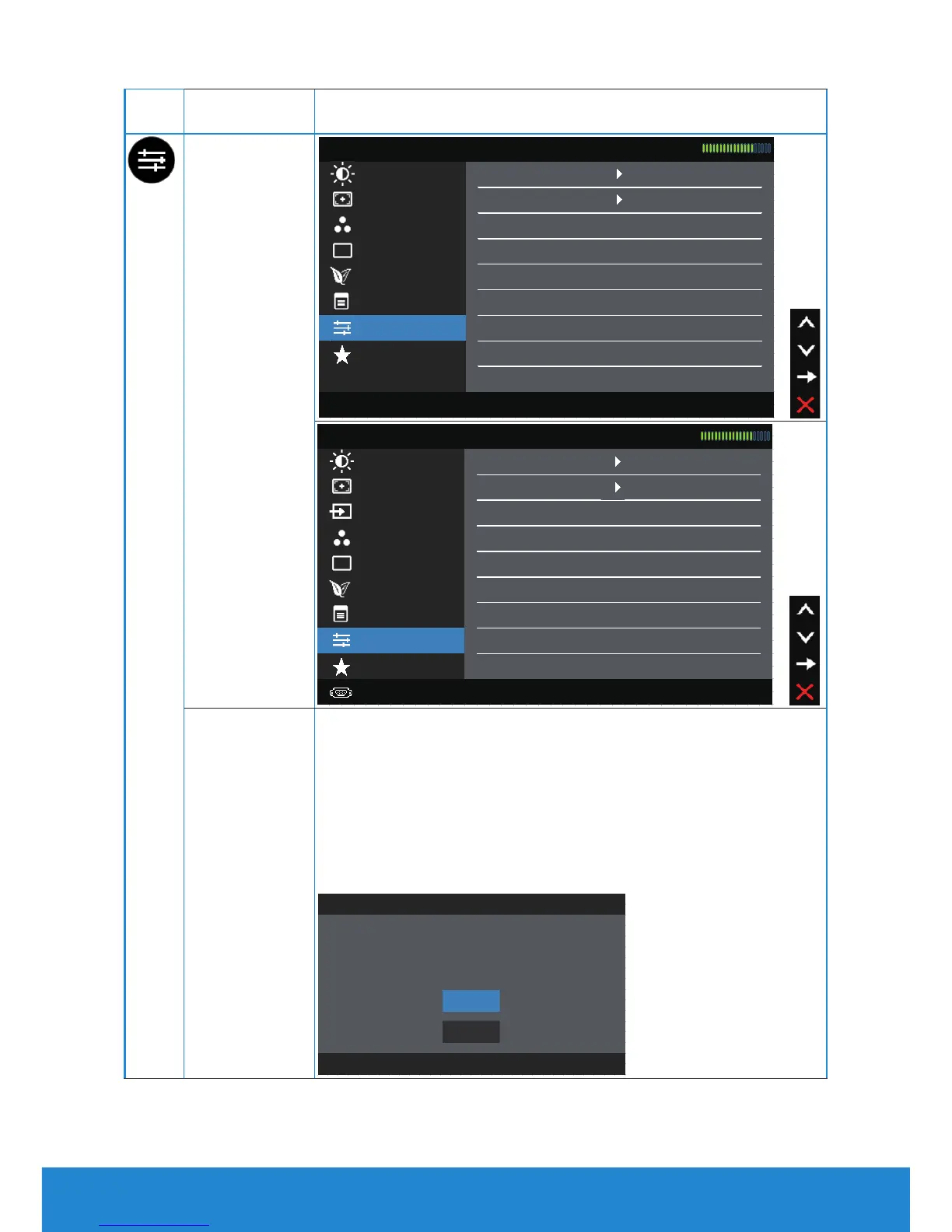
Reset Menu
Settings
Select this option to restore default menu settings.
Other
Settings
Energy Settings
Auto Adjust LCD Conditioning Disable
Brightness / Contrast DDC/CI Enable
Other Settings
Dell E1914H Energy Use
Reset All Settings
Color Settings Reset Other Settings
Personalize
Menu Settings
Display Settings Factory Reset
Resolution: 1024x768, 60Hz Maximum Resolution: 1366x768, 60Hz
Auto Adjust LCD Conditioning Disable
Dell E2014H Energy Use
Brightness / Contrast DDC/CI Enable
Display Settings
Factory Reset Reset All Settings Color Settings
Reset Other Settings Input Source
Menu Settings
Energy Settings
Other Settings
Personalize
Resolution: 1024x768, 60Hz Maximum Resolution: 1600x900, 60Hz
DDC/CI
DDC/CI (Display Data Channel/Command Interface) allows
a software on your computer to adjust the monitor display
settings like the brightness, color balance etc.
Enable (Default): Optimizes the performance of your
monitor and provides a better customer experience.
Disable: Disables the DDC/CI option and the following
message appears on the screen.
The function of adjusting display setting using PC application will be
disabled.
Do you wish to disable DDC/CI function?
Dell E1914H / E2014H
No
Yes
40 Operating the Monitor



 To Next Page