38 │ Setting up the monitor
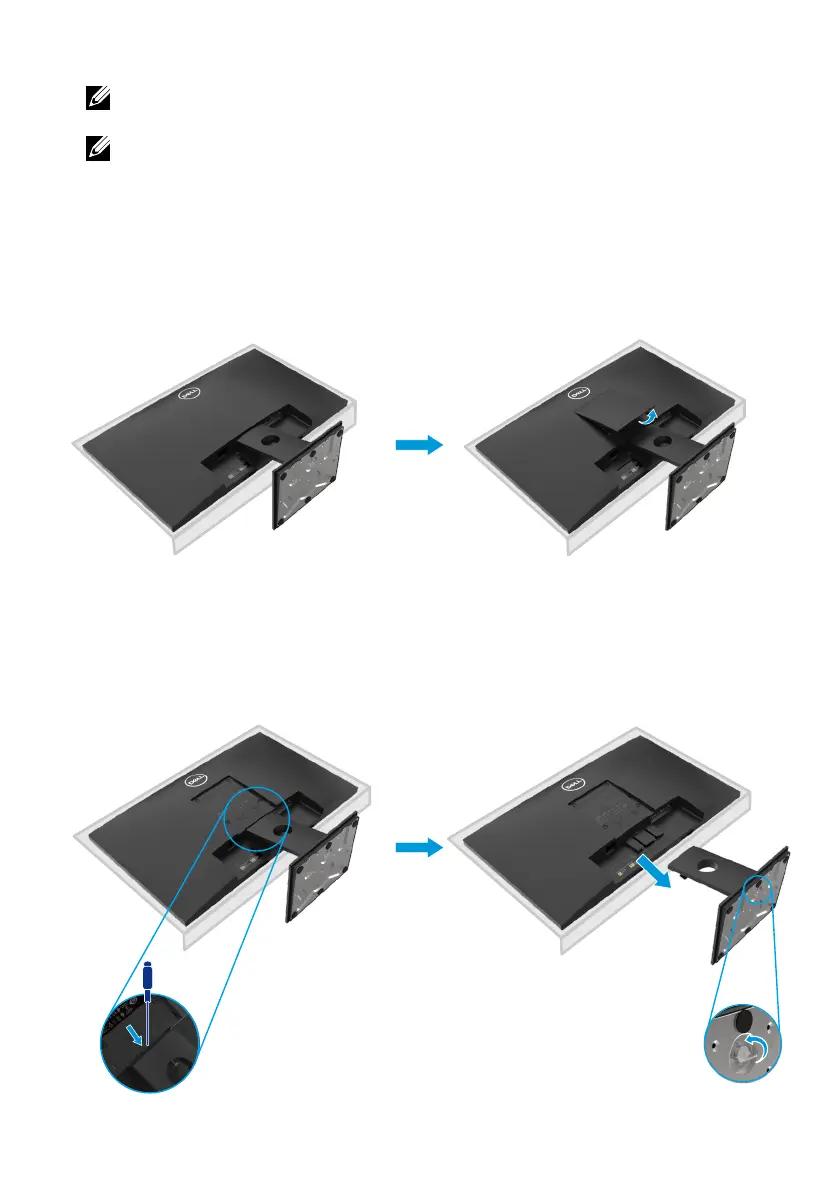
To remove the stand:
E2720H
2.
a. Use a long and thin screwdriver to push the release latch located in a hole
just above the stand.
b. Once the latch is released, remove the base away from the monitor.
c. Loosen the stand base thumbscrew fully to remove the base from the riser.
Removing the stand
NOTE: To prevent scratches on the screen when removing the stand,
ensure that the monitor is placed on a soft and clean surface.
NOTE: The following procedure is applicable for the stand that shipped
with your monitor.
1. a. Place the monitor on a soft cloth along the desk.
b. Remove VESA cover to access the release button.



 To Next Page