Setting up the monitor │ 39
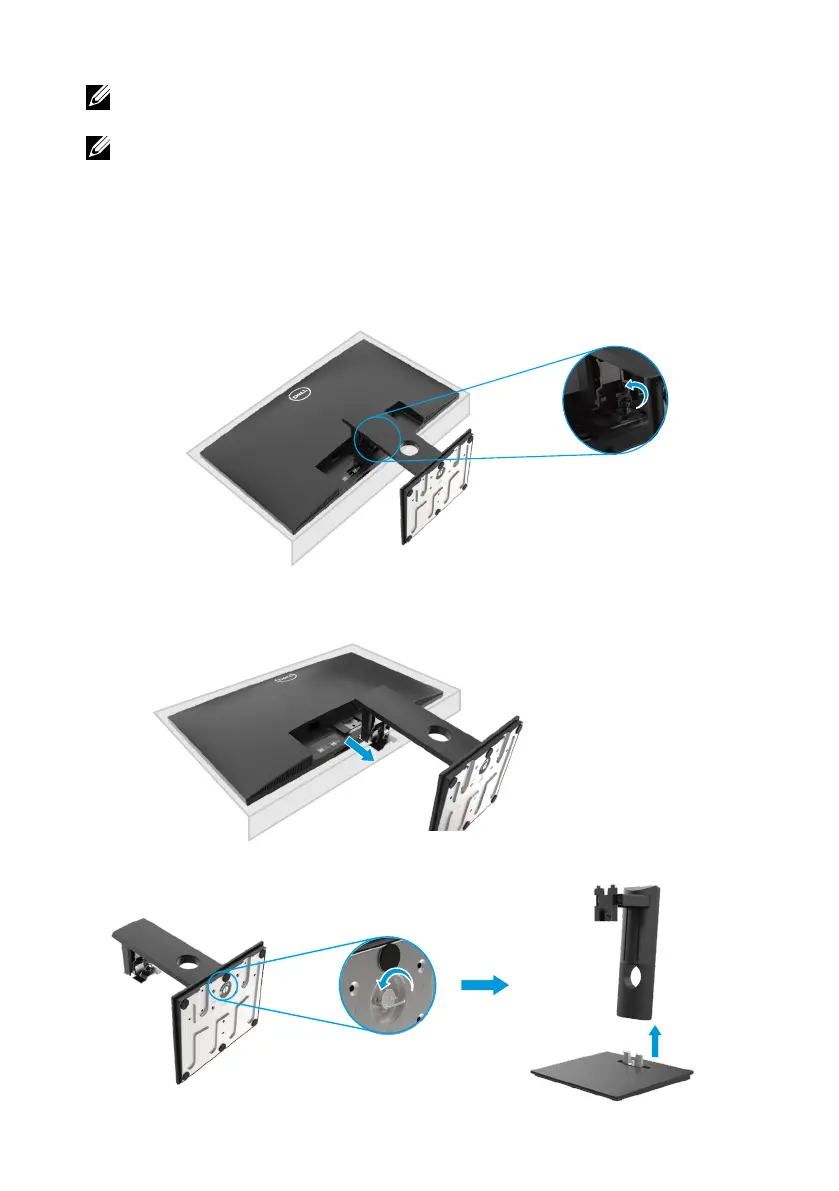
2.
Slide the stand out of the monitor completely.
3.
Loosen the stand base thumbscrew fully to remove the base from the riser.
To remove the stand:
E2420HS/E2720HS
Removing the stand
NOTE: To prevent scratches on the screen when removing the stand,
ensure that the monitor is placed on a soft and clean surface.
NOTE: The following procedure is applicable for the stand that shipped
with your monitor.
1. a. Place the monitor on a soft cloth along the desk.
b. Unscrew thumbscrew at the tilt bracket fully.



 To Next Page