- and + buttons move OSD down and up.
The OSD stays active for as long as it is in use.
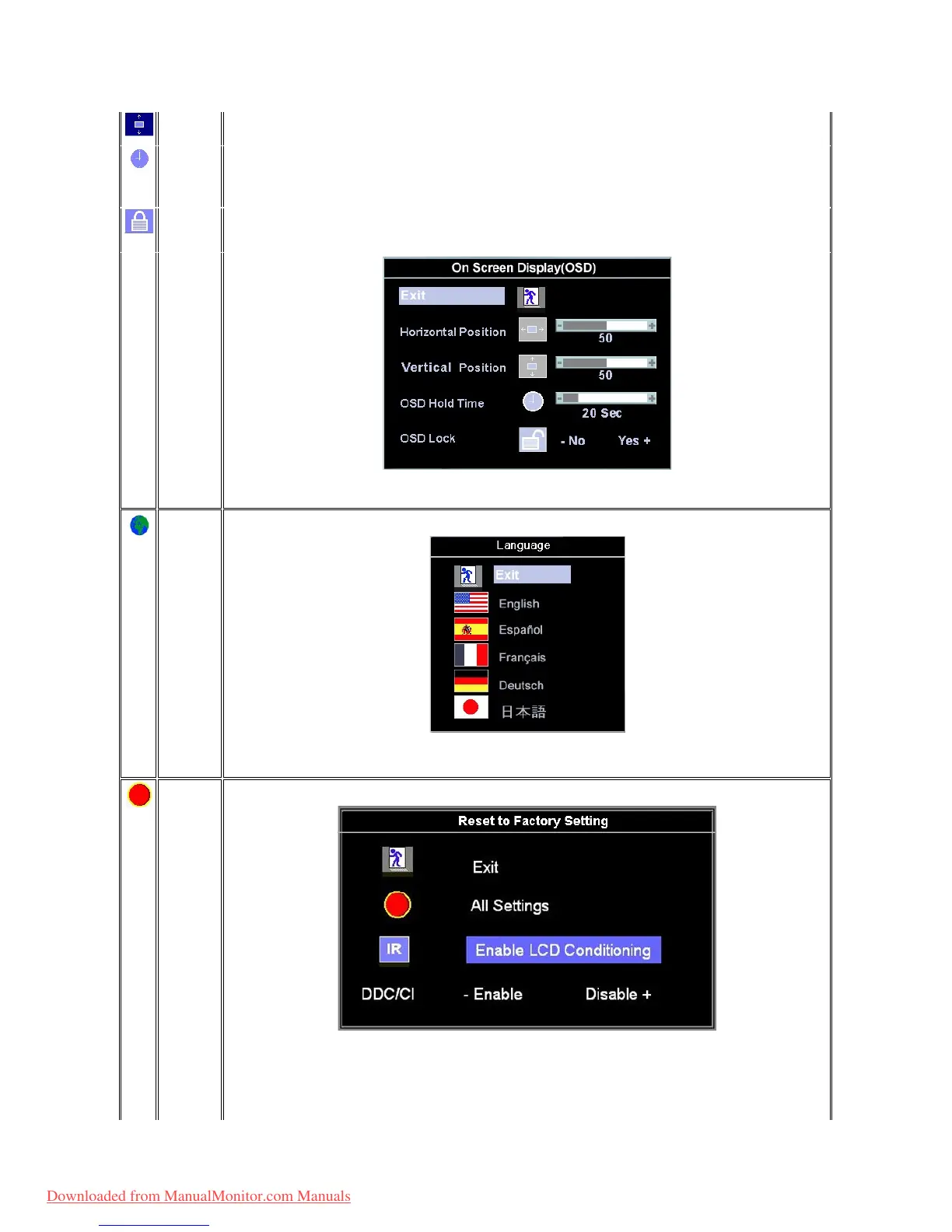
'OSD Hold Time': Sets the length of time the OSD will remain active after the last time you pressed a button.
Use the - and + buttons to adjust the slider in 5 second increments, from 5 to 60 seconds.
NOTE: Default 'OSD hold time' is 20 seconds.
'OSD Lock': Controls user access to adjustments. When 'Yes' (+) is selected, no user adjustments are allowed. All buttons are locked
exceptthemenubutton.
Allbuttonscanbelockedorunlockedwhenthe'Menu'buttonispushedandheldforover15seconds.
NOTE: When the OSD is locked, pressing the'Menu button will take the user directly to the 'OSD settings' menu, with 'OSD Lock'
preselected on entry. Select 'No'(-) to unlock and allow user access to all applicable settings.
LanguagesetstheOSDtodisplayinoneofthefivelanguages(English,Español,Français,Deutsch,Japanese).
NOTE: The language chosen affects only the language of the OSD. It has no effect on any software running on the computer.
Factory Resetreturnsthesettingstothefactorypresetvaluesfortheselectedgroupoffunctions.
ExitisusedtoexitoutofFactory Reset menu.
For All settings, all user adjustable settings are reset at one time except language settings.
IR -Thisfeaturewillhelpreduceminorcasesofimageretention.
Enable LCD Conditioning: If an image appears to be stuck on the monitor, select LCD Conditioning to help eliminate any image
Downloaded from ManualMonitor.com Manuals



 To Next Page