Back to Contents Page
About Your Monitor
Dell™ E198WFP Flat Panel Monitor User's Guide
Front View
Back View
Side View
Bottom View
Monitor Specifications
LCD Monitor Quality & Pixel Policy
Caring for your Monitor
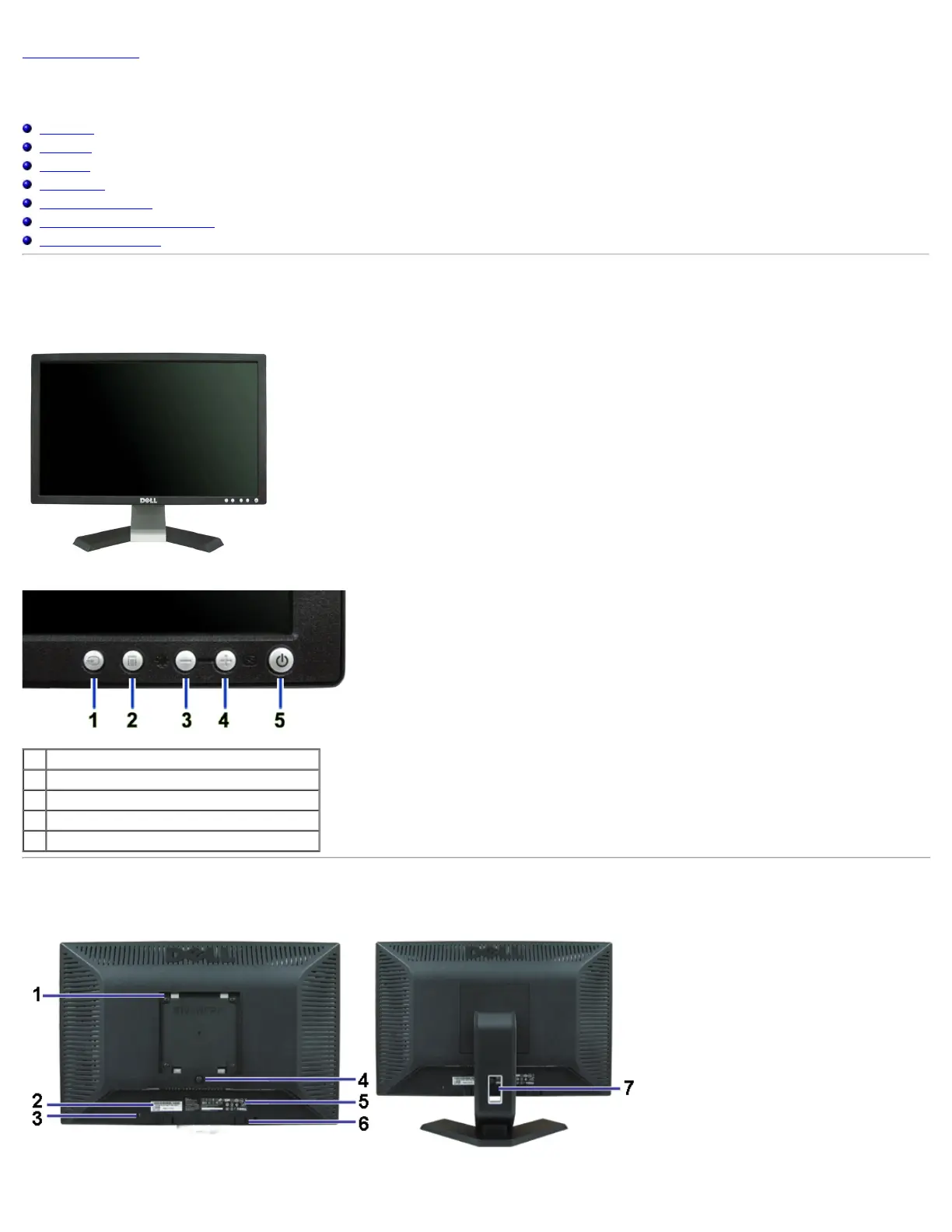
Front View
1. Input signal select button
2. OSD menu / Select button
3. Brightness and Contrast / Down button
4. Auto-adjust / Up button
5. Power On / Off button (with LED indicator)
Back View



 To Next Page