Back to Contents Page
Using Your Adjustable Monitor Stand
Dell™ E198WFP Flat Panel Monitor User's Guide
Attaching the Stand
Organizing Your Cables
Using the Tilt
Removing the Stand
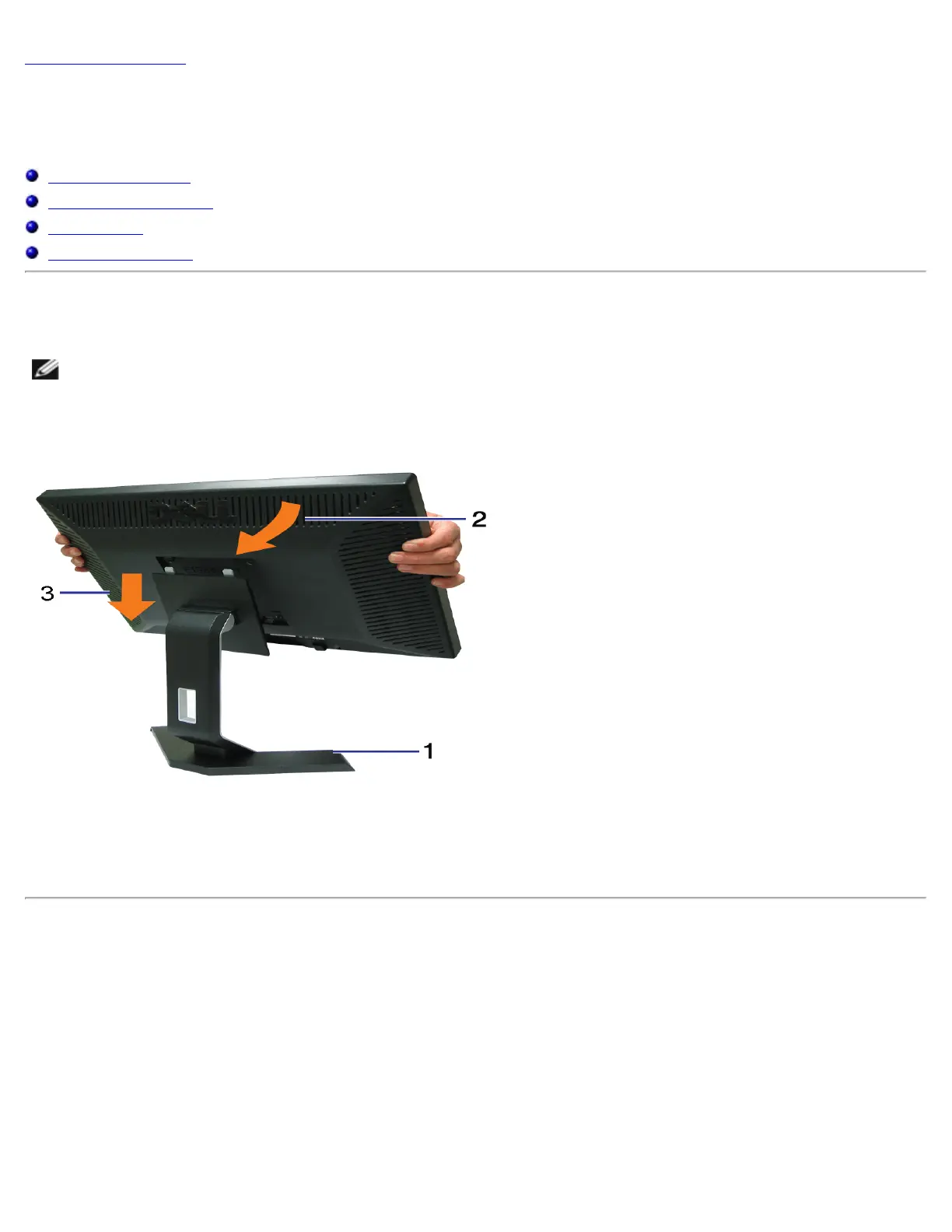
Attaching the Stand
NOTE: The stand is detached when the monitor is shipped from the factory.
1. Place the stand on a flat surface.
2. Fit the groove on the back of the monitor onto the two tabs on the stand.
3. Lower the monitor so that the monitor mounting area snaps on/locks to the stand.
Organizing Your Cables



 To Next Page