1 VESA mounting holes (100mm) (Behind
attached base plate)
Use to mount the monitor.
2 Barcode serial number label Refer to this label if you need to contact Dell for technical support.
3 Security lock slot Use a security lock with the slot to help secure your monitor.
4 Stand removal button Press to release the stand.
5 Regulatory rating label List the regulatory approvals.
6 Dell Soundbar mounting brackets Attach the optional Dell Soundbar.
7 Cable management hole Help organize cables by placing them in the hole.
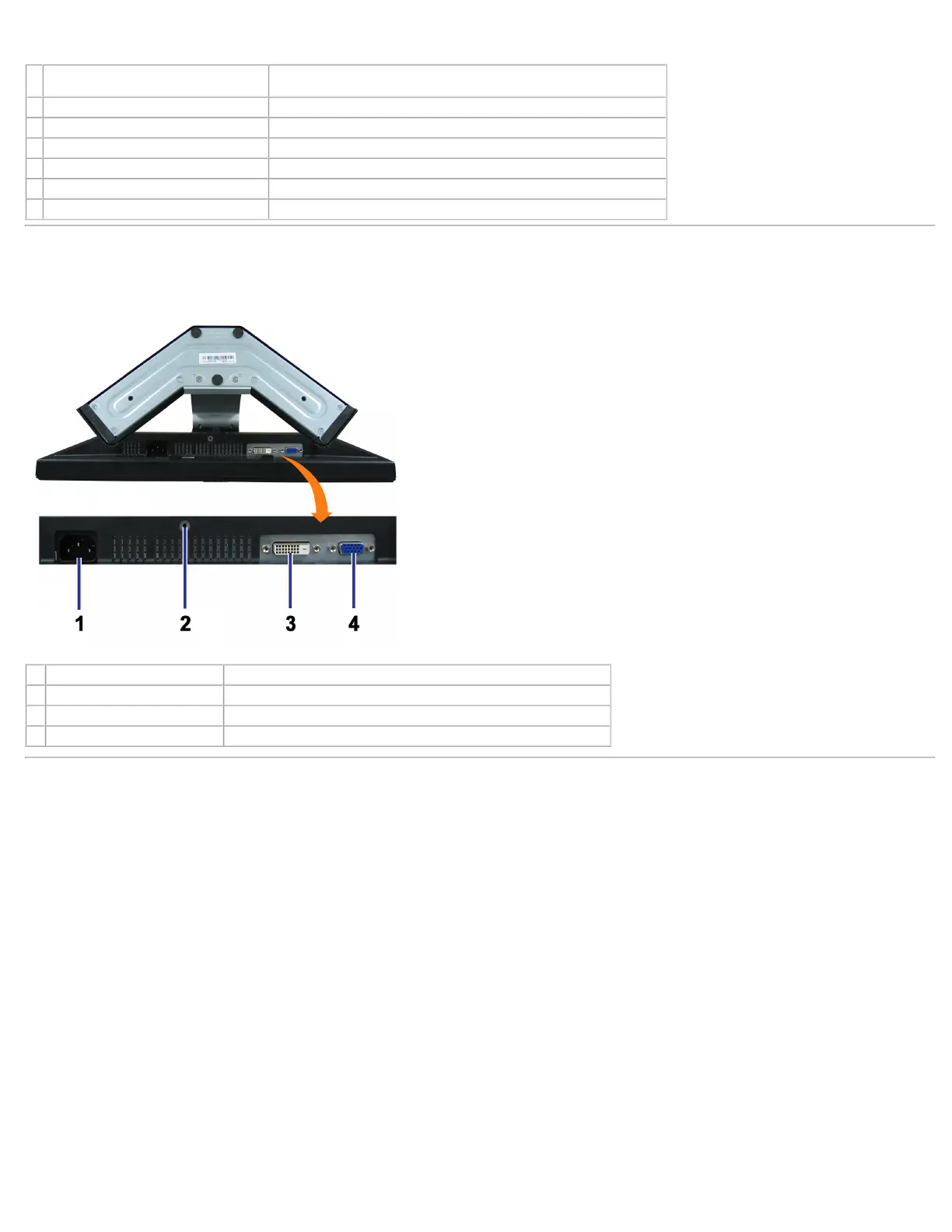
Bottom View
1 Power connector Insert the power cable.
2 Stand anti-theft feature Mount a 3*8 screw to make the stand undetachable.
3 DVI connector Connect your computer DVI cable.
4 VGA connector Connect your computer VGA cable.
Side View



 To Next Page