Operating the Monitor 35
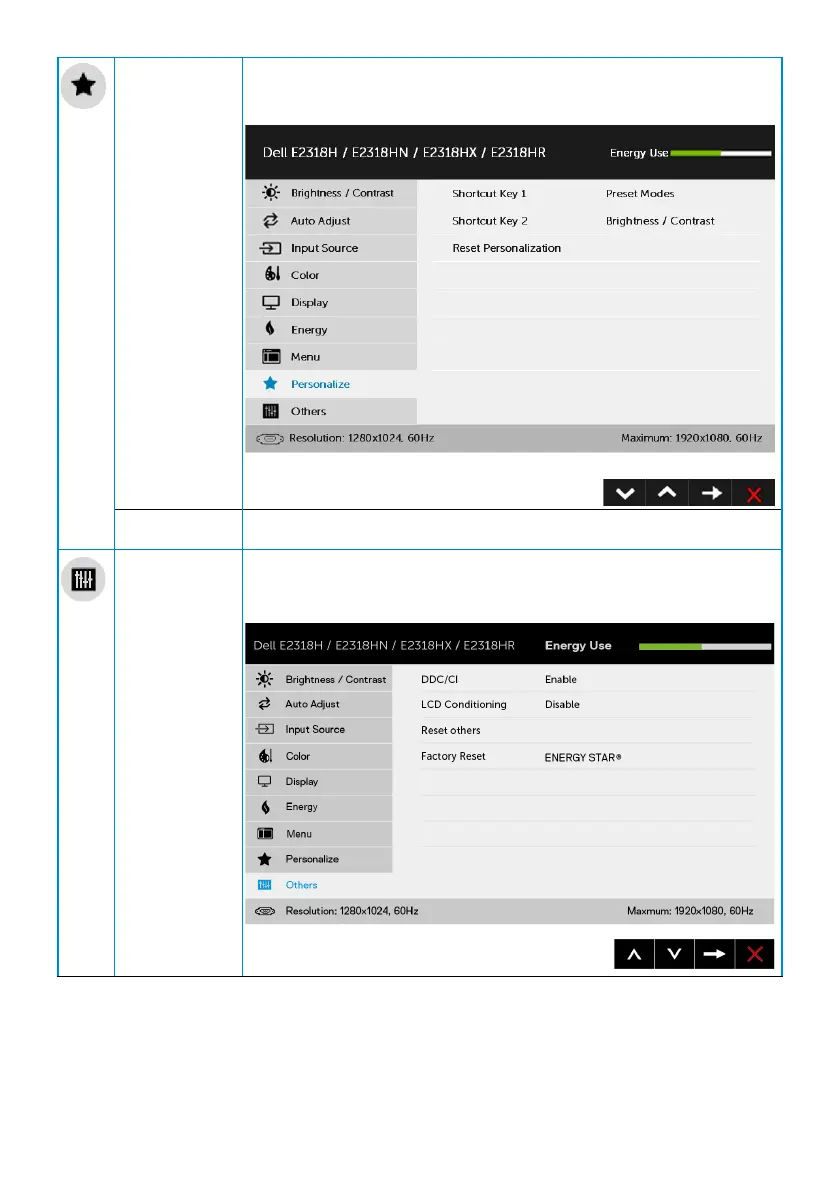
Personalize User can select from “Preset Modes”, “Brightness/Contrast”,
“Auto Adjust”, “Input Source”, “Aspect Ratio” and set as shortcut
key.
Reset
Personalization
Allows you to restore shortcut key to the default setting.
Others Select this option to adjust the OSD settings, such as the DDC/
CI, LCD Conditioning, and so on.


 To Next Page