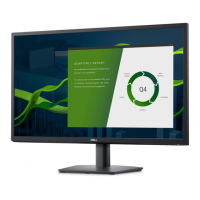
About Your Monitor 9
Label Description Use
1 AC power connector To connect the monitor power cable.
2 HDMI connector To connect your computer to the monitor using
a HDMI cable.
3 VGA connector To connect your computer to the monitor using
a VGA cable.
4 Dell soundbar
mounting slots
To attach the optional Dell Soundbar.
Monitor Specifications
Flat-Panel Specifications
Model number E2318H / E2318HN / E2318HX / E2318HR
Screen type Active matrix - TFT LCD
Panel Technology In-Plane Switching Technology
Viewable image
Diagonal 584.2 mm (23.0 inches)
Horizontal Active Area
509.18 mm (20.05 inches)
Vertical Active Area 286.42 mm (11.28 inches)
Area 145839.34 mm
2
(226.16 inches
2
)
Pixel pitch 0.2652 x 0.2652 mm
Pixel per inch (PPI) 96
Viewing angle
Horizontal 178° typical
Vertical 178° typical
Brightness 250 cd/m² (typical)
Contrast ratio 1000 to 1 (typical)
Display screen coating Antiglare with hard-coating 3H
Backlight White LED edgelight system
Response Time
5 ms (gray to gray - fast mode)
8 ms (typical - normal mode)
Color Depth 16.78 million colors


 To Next Page