Operating your monitor │ 47
Icon Menu and
Submenus
Description
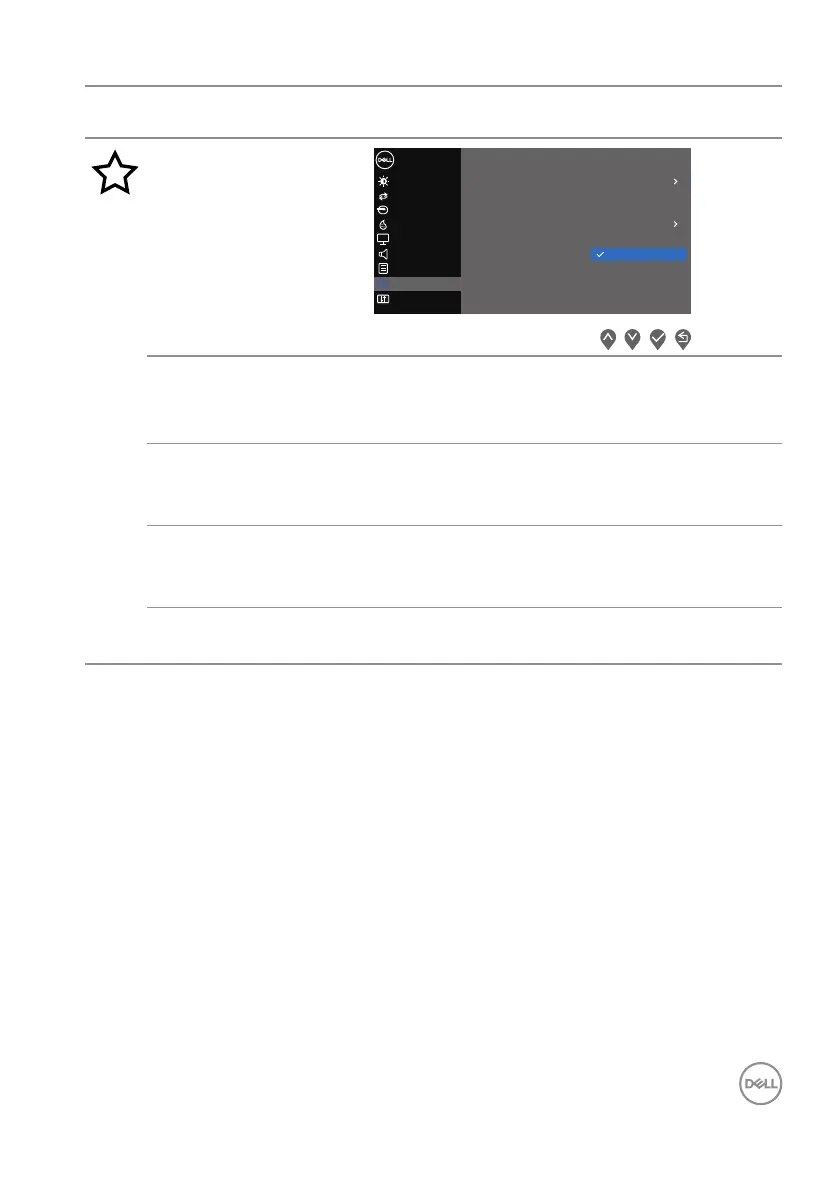
Personalize
Input Source
Others
Personalize
Menu
Color
Display
B
Auto Adjust
rightness / Contrast
Dell 27 Monitor
Shorout Key 1
Shorout Key 2
Power Button LED Auto Adjust
Input Source
Aspect Ratio
Brightness/Contrast
Reset Personalization
Preset Modes
Audio
Volume
Shortcut
Key 1
Select one of the following: Preset
Modes, Brightness/Contrast, Auto Adjust, Input
Source, Aspect Ratio, Volume, to set the shortcut key 1.
Shortcut
Key 2
Allow you to select one of the following: Preset Modes,
Brightness/Contrast, Auto Adjust, Input Source,
Aspect Ratio, Volume, to set the shortcut key 2.
Power
Button LED
Allows you to set the power LED indicator On in On Mode
or Off in On Mode to save energy.
Reset Per-
sonalization
Restores shortcut keys to factory defaults.


 To Next Page