Operating your monitor │ 53
Using the tilt, swivel, and height adjustment
Tilt, swivel
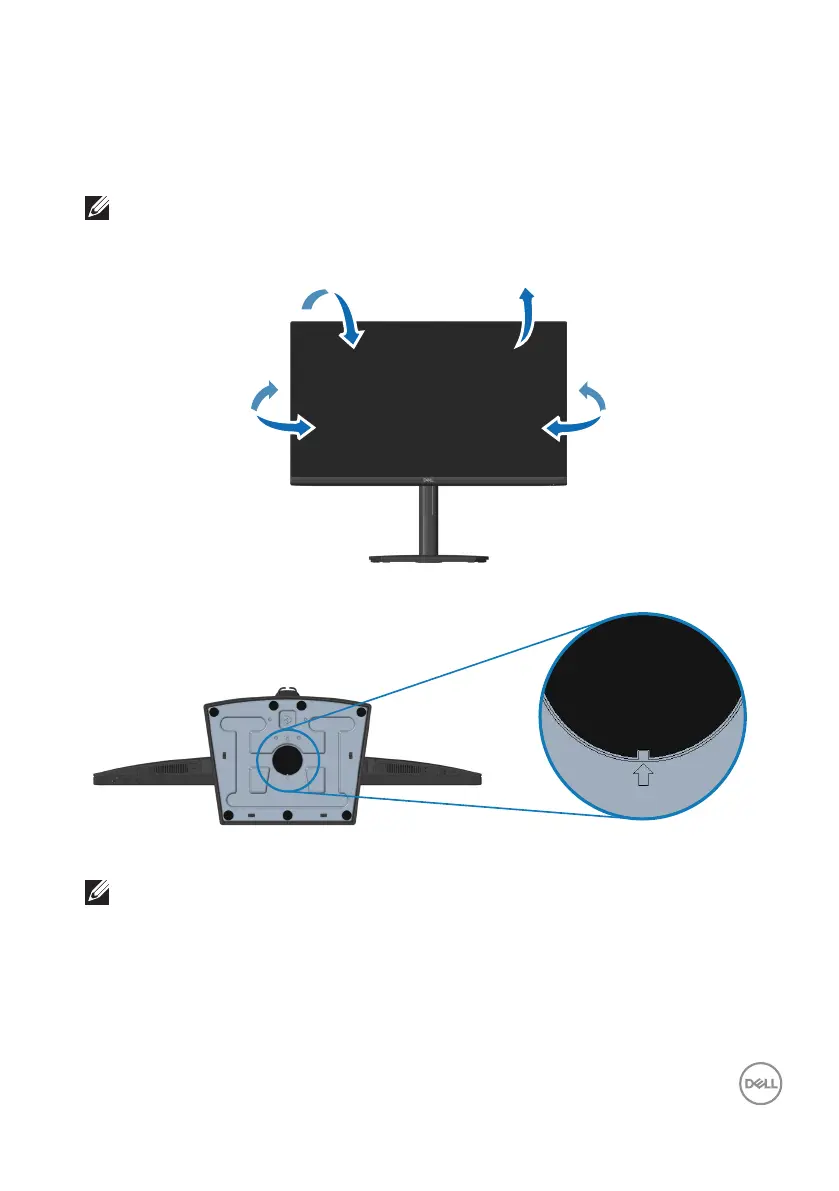
You can tilt and swivel the monitor for the most comfortable viewing angle.
NOTE: The stand is not attached when the monitor is shipped from the
factory.
-5°
21°
173°-173°
NOTE: When square indicator on Lazy Susan is aligned with the arrow,
it indicates that the Lazy Susan is at the initial zero position (0°).


 To Next Page