Next steps
1. Install the drive backplane.
2. Install the drives.
3. Install the air shroud.
4. Follow the procedure listed in After working inside your system.
System memory
System memory guidelines
The system supports DDR4 unbuffered DIMMs (UDIMMs). System memory holds the instructions that are executed by the processor.
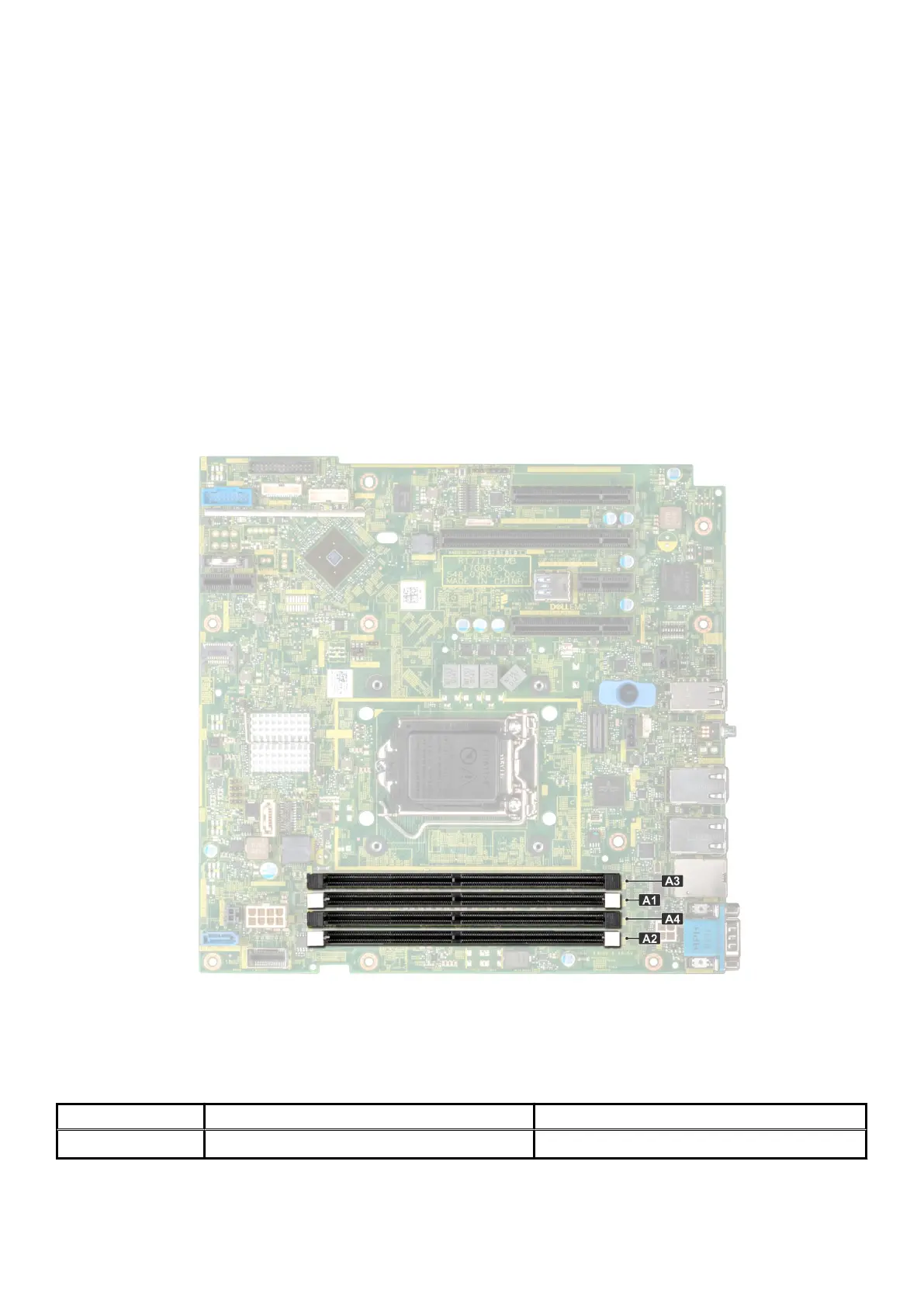
Your system contains 4 memory sockets. Two memory channels are allocated to the processor.
Memory channels are organized as follows:
Figure 51. System memory view
Table 5. Memory channels
Processor Channel 0 Channel 1
Processor 1 Slots A1, A3 Slots A2, A4
The following table shows the memory populations and operating frequencies for the supported configurations:
72
Installing and removing system components



 To Next Page