8xxx | Installationxxx
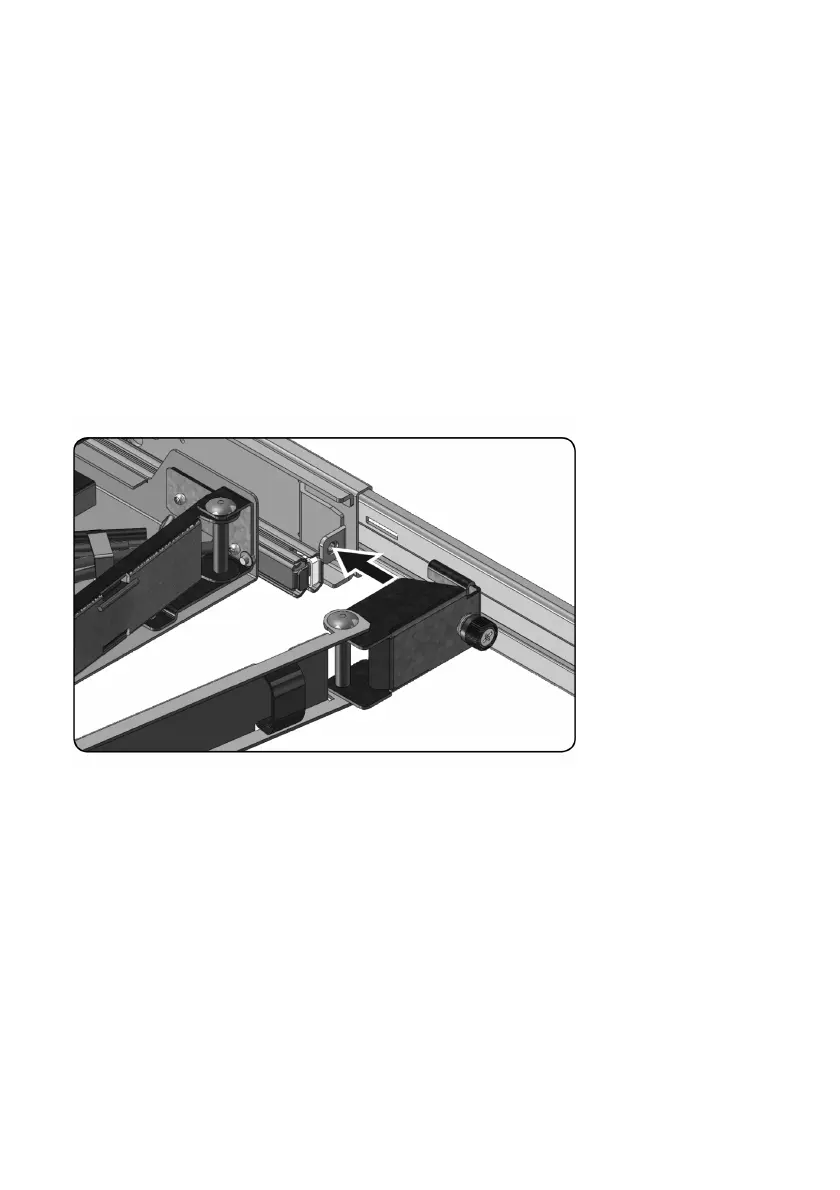
To install the cable management arm (CMA):
1 From the back of the rack, cut the zip tie that secures the CMAto the back
of the tray.
2 Swing the free end of the CMAout to the bracket on the end of the left
stationary rail.
3 Attach the CMAto the bracket with the captive screw on the end of the
arm.
Figure 2.5. Installing the Cable Management Arm



 To Next Page