Installationxxx | xxx7
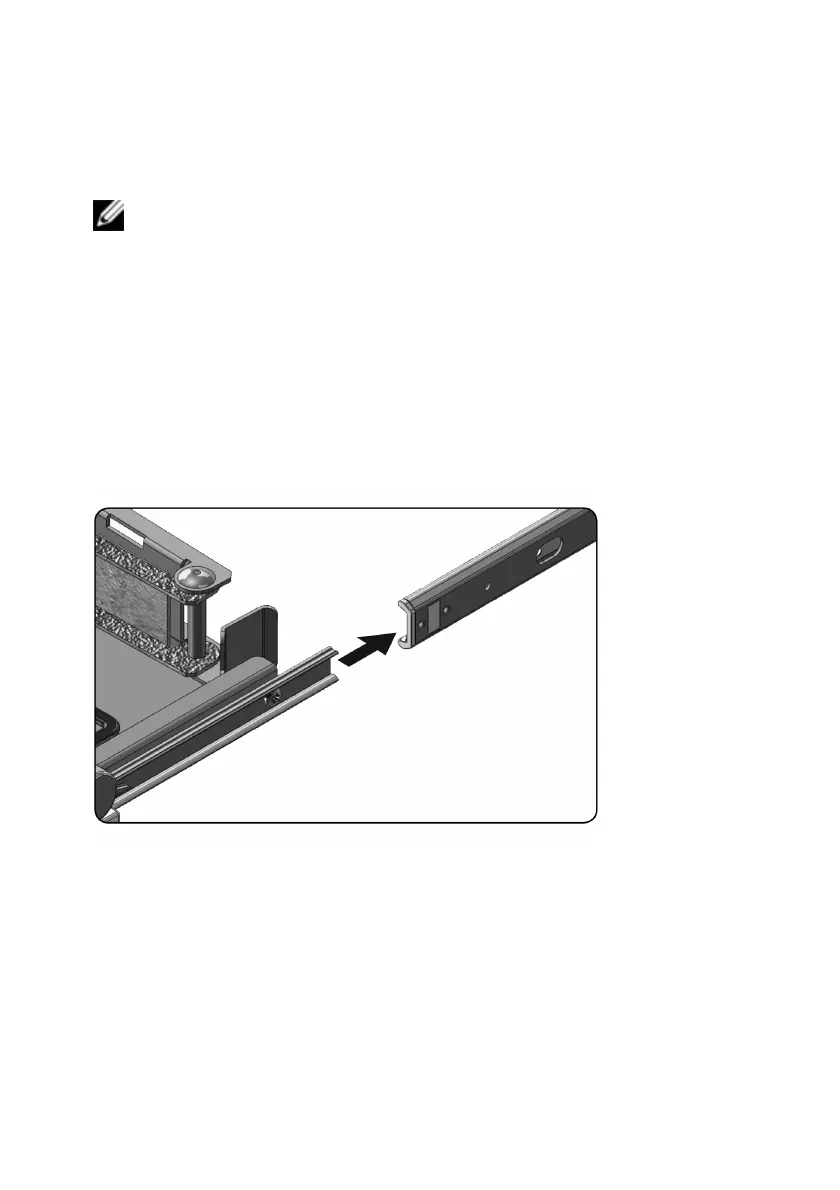
To install the console tray:
NOTE: Ensure that the system is properly supported until the chassis rail members are
inserted into the slide rails on both sides.
1 Pull the sliding rails out of the rack until they are fully extended.
2 Align and insert the ends of the chassis rail members into the ends of the
rails.
3 Push the system inward until the chassis rail members are fully inserted.
4 Pull and push the console tray in and out of the rack until it slides smoothly
within the rack.
Figure 2.4. Installing the Console Tray



 To Next Page