Back to Contents Page
Setting Up the Monitor
Dell™IN2010NFlatPanelMonitorUser's Guide
Attaching the Base
Connecting the Monitor
Attaching the Soundbar (Optional)
Removing the Base
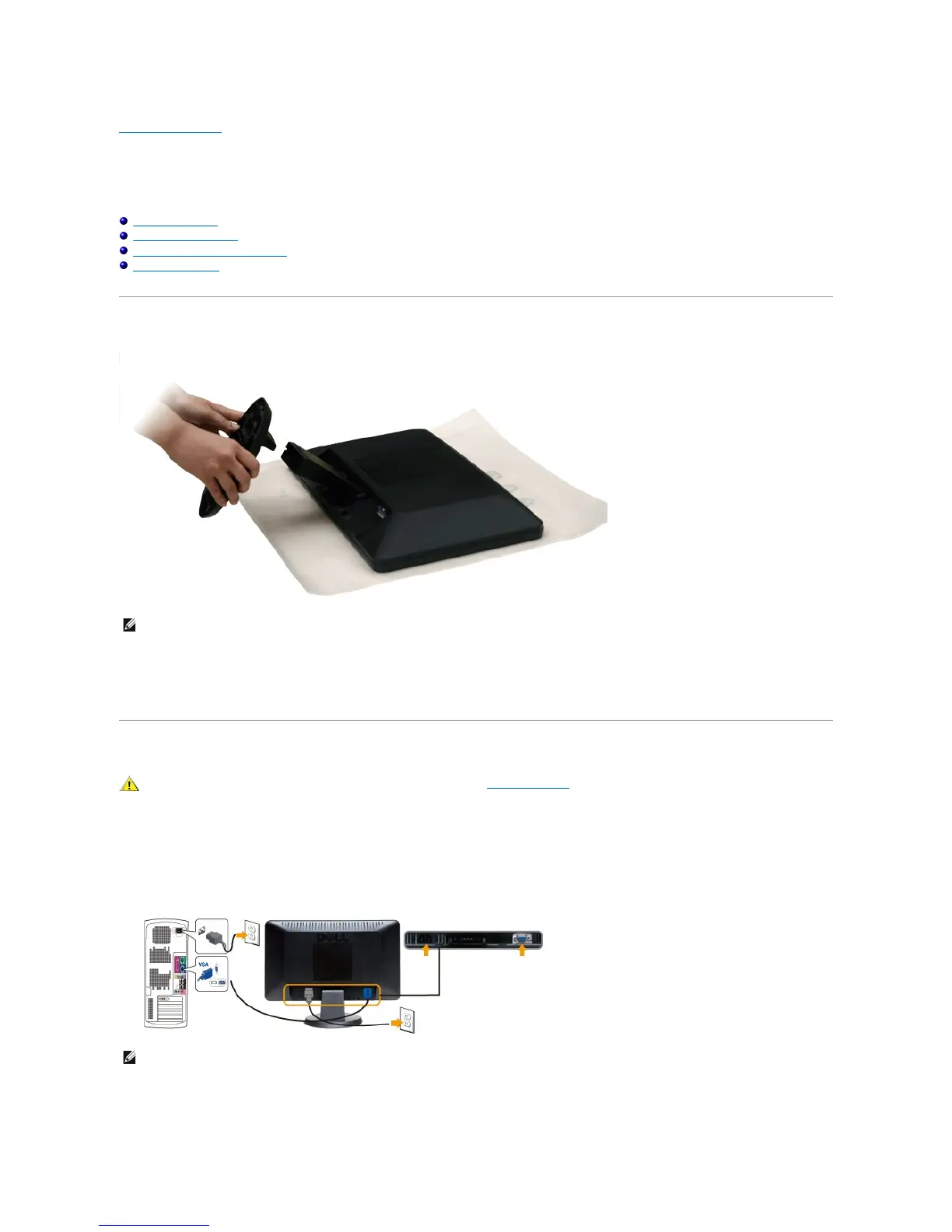
Attaching the Base
After placing the monitor panel on a soft cloth or cushion, complete the following steps to attach the base.
1. Place the monitor on a flat surface.
2. Attach the base to the monitor.
Connecting Your Monitor
To connect your monitor to the computer perform the following steps/instructions:
1. Turnoffyourcomputeranddisconnectthepowercable.
2. Connecttheblue(analogVGA)displayconnectorcabletothecorrespondingvideoportonthebackofyourcomputer.
Connecting the blue VGA cable
After you have completed connecting the VGA cable, follow the procedure below to complete your monitor setup:
1. Plugthepowercablesforyourcomputerandmonitorintoanearbyoutlet.



 To Next Page