EasyManua.ls Logo

Dell Inspiron 16 7620 - User Manual

Dell Inspiron 16 7620
74 pages
Print Icon
To Next Page IconTo Next Page
Loading...
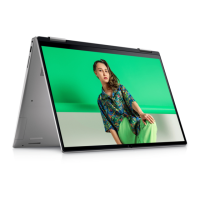
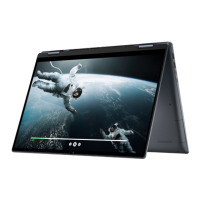
Inspiron 16 7620 2-in-1
Service Manual
Regulatory Model: P119F
Regulatory Type: P119F001
February 2022
Rev. A00

Table of Contents

Questions and Answers

  • A
    Abigail GonzalezJul 29, 2025
    Why is my Dell Inspiron 16 7620 Laptop battery-status light indicating failures?
    • N
      Norman GarciaJul 29, 2025
      The battery-status light on your Dell Laptop may indicate failures due to: * Power rail failure: The battery-status light blinks amber accompanied by beep codes. * No memory or RAM detected: The battery-status light blinks amber two times, pauses, and then blinks white three times before pausing again.
  • L
    Lauren PriceAug 11, 2025
    What to do if my Dell Laptop battery is swollen?
    • J
      Jonathan KnightAug 11, 2025
      If you notice that the lithium-ion battery in your Dell laptop is swollen, immediately discontinue using the laptop. Unplug the AC adapter and allow the battery to fully discharge. Replace the swollen battery and ensure it is disposed of correctly. You may also contact Dell product support to explore options for replacing the swollen battery under your warranty or service contract.

Dell Inspiron 16 7620 Specifications

General IconGeneral
Display Size16 inches
Operating SystemWindows 11 Home
Weight1.87 kg (4.12 lbs)
WirelessWi-Fi 6, Bluetooth 5.2
Webcam720p HD
Resolution1920 x 1200
Storage512GB SSD
GraphicsIntel Iris Xe / NVIDIA GeForce MX550
Battery6-cell, 86Whr
Ports1 x SD card reader, 1 x headphone/microphone combo jack
AudioStereo speakers, Waves MaxxAudio Pro
Processor12th Gen Intel Core i5/i7

Related product manuals