EasyManua.ls Logo

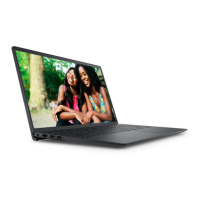
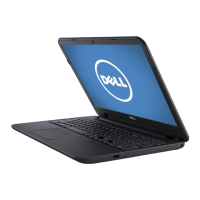
Dell Inspiron 3521 - User Manual

Dell Inspiron 3521
94 pages
Print Icon
To Next Page IconTo Next Page
Loading...
Dell Inspiron 3521/5521
Owner’s Manual
Computer model: Inspiron 3521/5521
Regulatory model: P28F
Regulatory type: P28F001
OM_Book.book Page 1 Tuesday, November 20, 2012 12:43 PM

Table of Contents

Other manuals for Dell Inspiron 3521

Questions and Answers

  • S
    Scott SpencerAug 11, 2025
    What to do if my Dell Laptop has a swollen battery?
    • V
      vgrayAug 11, 2025
      If your Dell Laptop has a swollen lithium-ion battery, immediately discontinue using the laptop. Discharge it by disconnecting the AC adapter and allowing the battery to drain completely. Swollen batteries should not be used and should be properly replaced and disposed of. Contact Dell product support to explore options for replacing the swollen battery under your applicable warranty or service contract.
  • J
    John ConleyAug 18, 2025
    What to do if my Dell Inspiron 3521 Laptop shows no memory/RAM detected?
    • A
      Amanda ConnerAug 18, 2025
      If your Dell Laptop is not detecting memory/RAM, first confirm that the memory module is installed properly. If the problem continues, replace the memory module.
  • R
    Reginald GarrettAug 25, 2025
    What to do if my Dell Inspiron 3521 has system board failure or BIOS corruption?
    • J
      Jennifer NewtonAug 25, 2025
      If your Dell Laptop experiences a system board failure or BIOS corruption, which includes BIOS corruption or ROM errors, flash the latest BIOS version. If the issue persists, replace the system board.
  • C
    Charles BakerAug 29, 2025
    What to do if my Dell Inspiron 3521 Laptop has a BIOS Recovery image not found error?
    • C
      christopherwilcoxAug 29, 2025
      If your Dell Laptop displays a 'BIOS Recovery image not found' error, flash the latest BIOS version. Should the problem persist, replace the system board.
  • P
    Patricia ThompsonSep 4, 2025
    What to do if my Dell Inspiron 3521 Laptop has a power rail failure?
    • N
      Natalie TylerSep 4, 2025
      If your Dell Laptop experiences a power rail failure, flash the latest BIOS version. If the problem continues, replace the system board.

Dell Inspiron 3521 Specifications

General IconGeneral
RAMUp to 8GB DDR3
WirelessWi-Fi 802.11 b/g/n
BluetoothBluetooth 4.0
Webcam720p HD Webcam
Optical DriveDVD+/-RW
ProcessorIntel Core i3/i5/i7
StorageUp to 1TB HDD
Display15.6-inch HD (1366x768)
GraphicsIntegrated Intel HD Graphics or AMD Radeon HD
Operating SystemWindows 8/8.1
Battery4-cell
PortsUSB 3.0, USB 2.0, HDMI, RJ-45

Related product manuals