70 | Removing the Display Assembly
Procedure
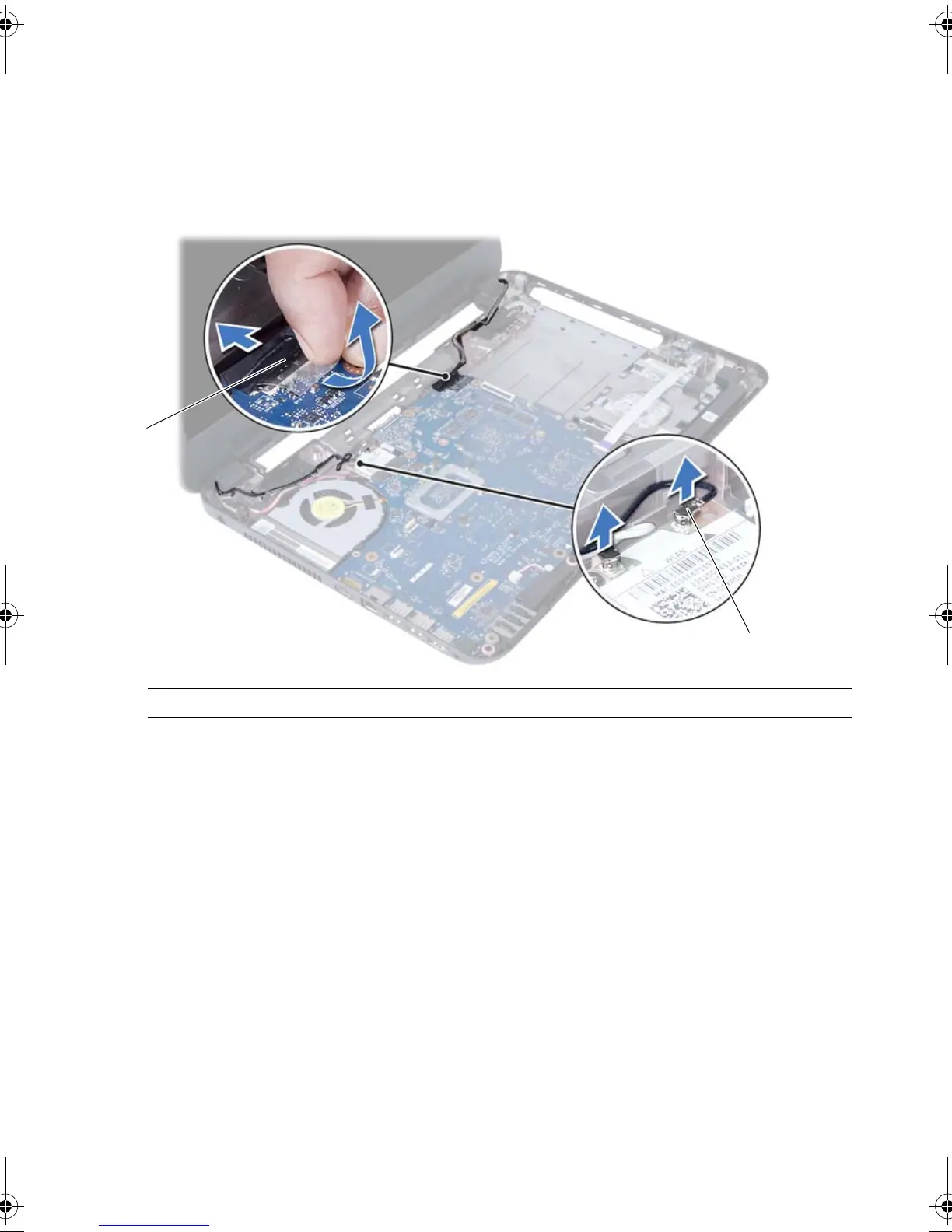
1 Peel the tape that secures the display cable to the system board.
2 Disconnect the display cable from the connectors on the system board.
3 Disconnect the wireless mini-card cables from the connectors on the
wireless mini-card.
1 display cable 2 wireless mini-card cables (2)
OM_Book.book Page 70 Tuesday, November 20, 2012 12:43 PM








 To Next Page