84 | Removing the Display Panel
Procedure
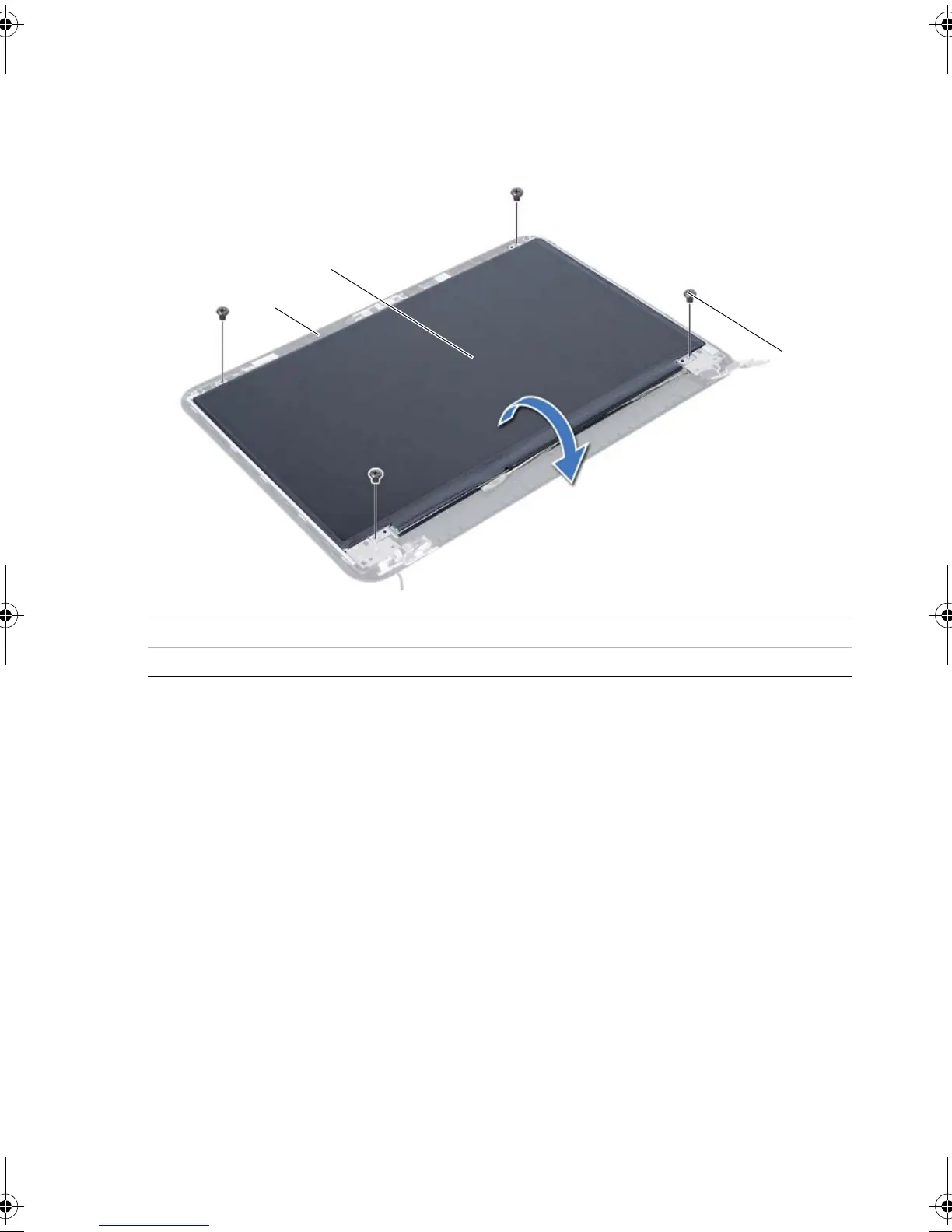
1 Remove the screws that secure the display panel to the display back-cover.
2 Gently lift the display panel and turn it over.
1 display back-cover 2 display panel
3screws (4)
OM_Book.book Page 84 Tuesday, November 20, 2012 12:43 PM








 To Next Page