Removing the Speakers | 65
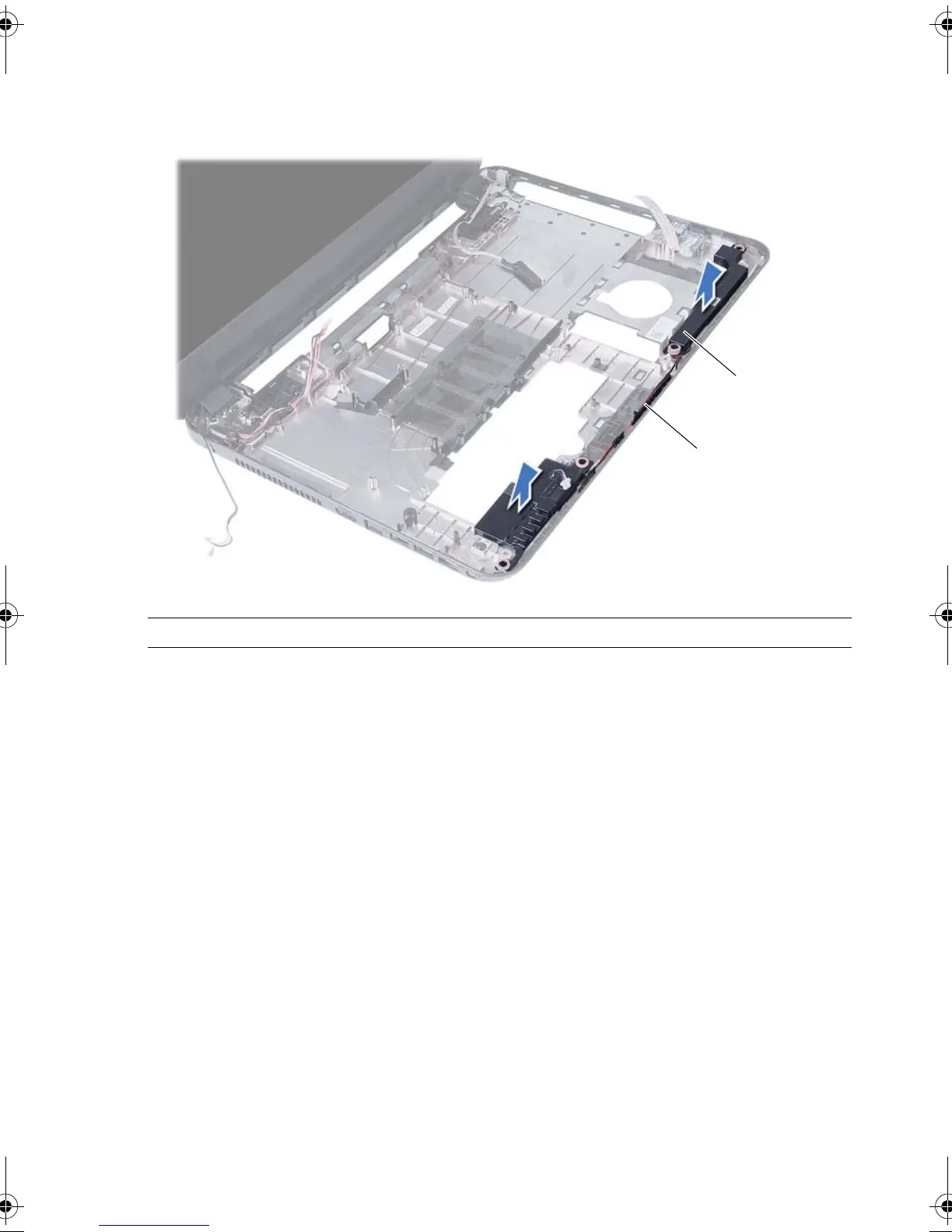
3 Note the speaker cable routing and remove the cable from the routing guides on
the computer base.
4 Lift the speakers, along with the speaker cable, off the computer base.
1 speaker cable routing 2 speakers (2)
OM_Book.book Page 65 Tuesday, November 20, 2012 12:43 PM









 To Next Page