Pairing your wireless keyboard
Your Dell wireless keyboard can be paired with devices using the USB receiver. You
can pair and switch between a laptop, desktop, or any compatible mobile device.
Pairing your keyboard using the USB receiver
NOTE: You can connect a device to your wireless keyboard using the Dell
Universal pairing or Dell peripheral manager.
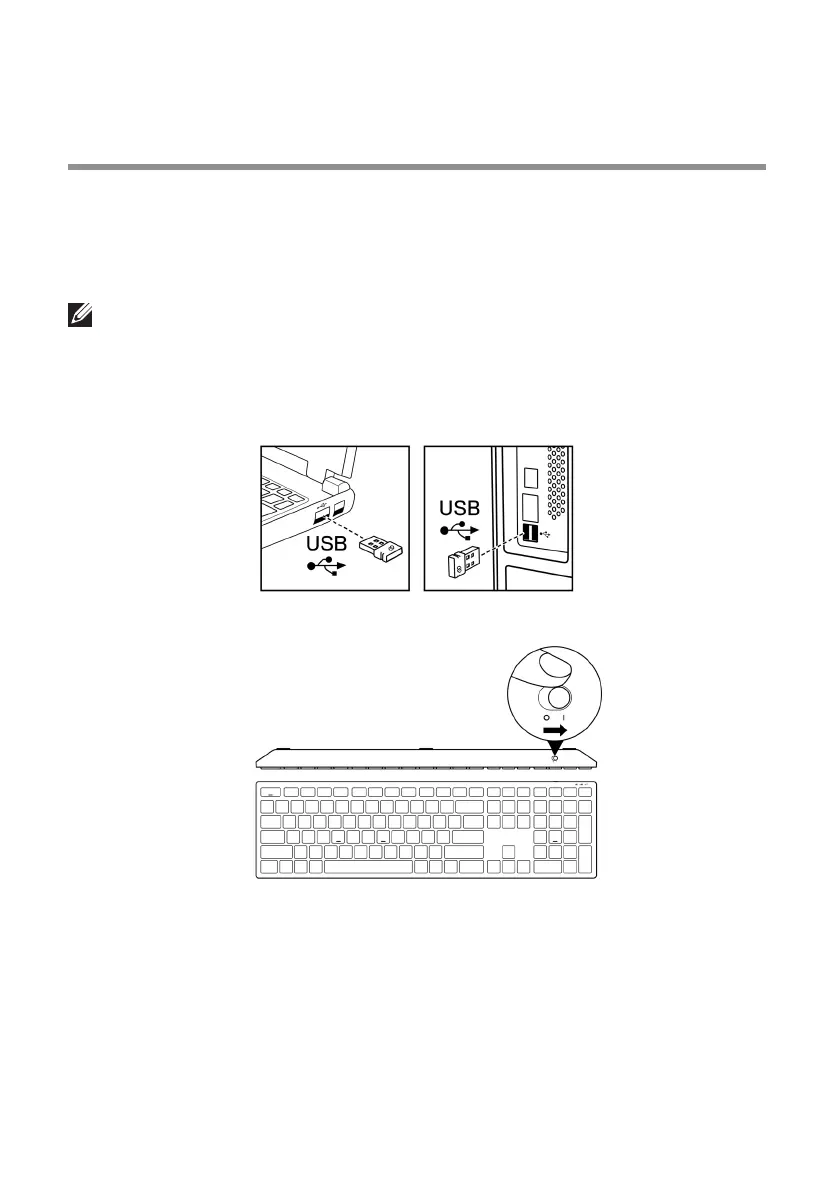
1 Connect the Dell Universal USB receiver to the USB port on your computer.
Laptop Desktop
2 Slide the power switch to turn on the keyboard.
9



 To Next Page