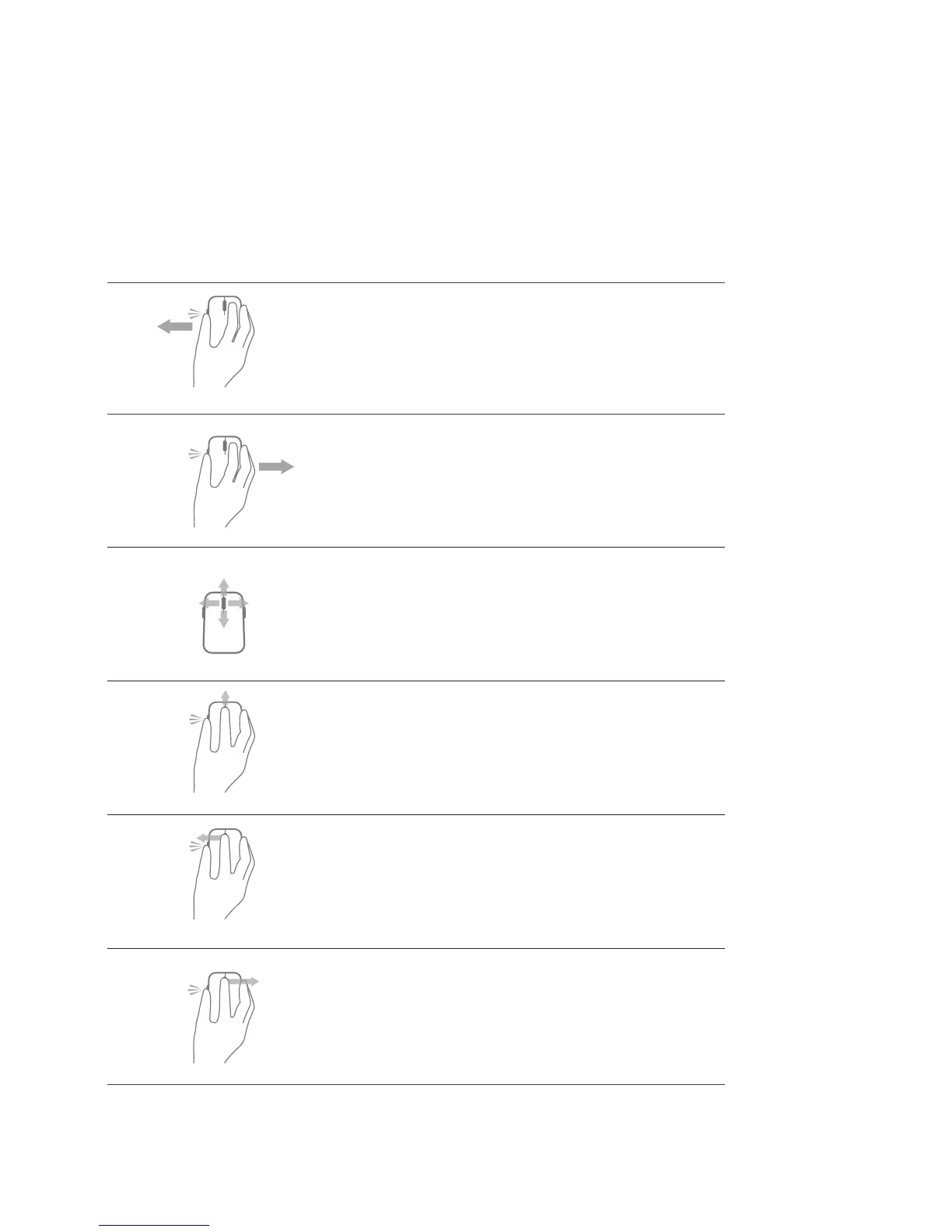
Shortcut Gestures
Windows charms
Press and hold side button,
and slide the mouse towards left.
(Windows 8 only)
App switch
Press and hold side button,
and slide the mouse towards right.
(Windows 8 only)
Scroll and pan
4-way scroll
(Windows 7 and 8)
Zoom in/out
Press and hold side button,
and scroll wheel up or down.
(Windows 7 and 8)
Back
Press and hold side button,
and tilt wheel towards left.
(Windows 7 and 8)
Forward
Press and hold side button,
and tilt wheel towards right.
(Windows 7 and 8)







 To Next Page