Adding and Replacing Parts 115
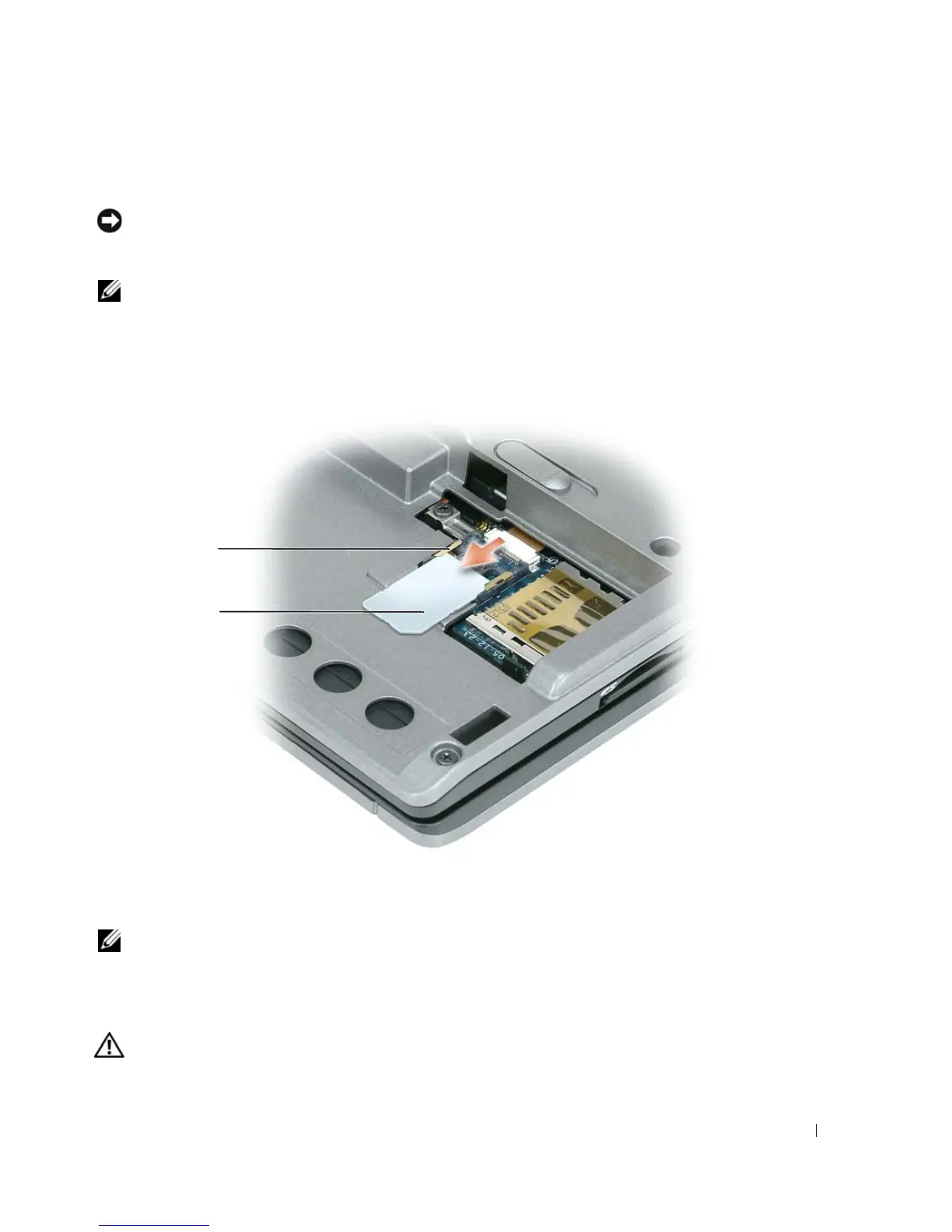
Subscriber Identity Module (SIM) Card
NOTICE: To protect the SIM card from electrostatic discharge (ESD), do not touch the SIM card connector. Also,
take care when removing the card to slide the card completely out of the metal tabs before lifting the card out of
the slot. The card is brittle and may easily break otherwise.
NOTE: The SIM card is located in the battery bay. You must remove the main battery before you can access the
SIM card.
1
Slide the SIM card out of the SIM card slot with the cut-off corner of the card facing toward the back
of the computer.
NOTE: When you replace the SIM card, ensure that you slide the SIM card under the two metal tabs on the SIM
card slot with the cut-off corner of the card facing toward the back of the computer.
Internal Card With Bluetooth
®
Wireless Technology
CAUTION: Before performing the following procedures, read the safety instructions in your Product Information
Guide.
1 metal tabs (2) on
SIM card slot
2 SIM card with cut-off
corner
2
1















 To Next Page