Adding and Replacing Parts 113
(white) to the antenna connector with the white triangle. Connect the auxiliary antenna cable
(black) to the antenna connector with the black triangle.
NOTE: If your computer has a gray cable, connect it to the connector with the gray triangle, if one is available on
your card.
5
Connect the antenna cables to the WLAN card, ensuring that you route the cables correctly.
6
Replace the memory/Mini-Card module cover.
Mobile Broadband (WWAN) Cards
NOTE: Mobile Broadband cards may not be available in all regions.
If you ordered a Mobile Broadband card with your computer, the card is already installed.
CAUTION: Before you begin any of the procedures in this section, follow the safety instructions in the Product
Information Guide.
1
If a
Mobile Broadband card
is not already installed, go to step 5. If you are replacing a
Mobile
Broadband card
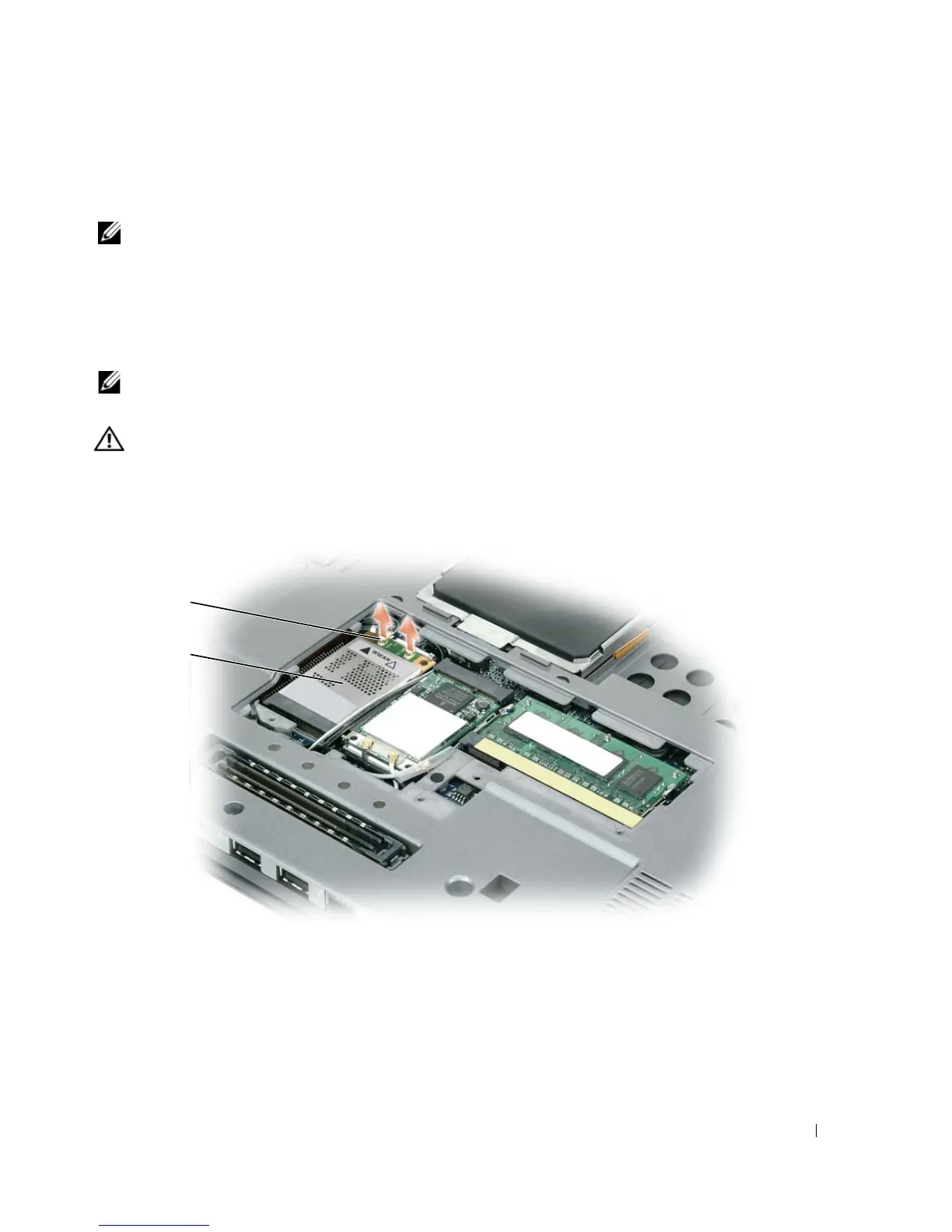
, remove the existing card:
a
Disconnect the
Mobile Broadband card
from any attached cables.
1 antenna cables (2) 2 Mobile Broadband card
1
2















 To Next Page