Adding and Replacing Parts 111
Mini-Cards
If you ordered a WLAN card with your computer, the card is already installed.
CAUTION: Before you begin any of the procedures in this section, follow the safety instructions in the Product
Information Guide.
NOTICE: To prevent damage to the system board, remove the main battery before you service the computer.
Wireless Local Area Network (WLAN) Cards
1
Follow the procedures in "Before You Begin" on page 101.
2
Ground yourself by touching one of the metal connectors on the back of the computer.
NOTE: If you leave the area, ground yourself again when you return to the computer.
3
If a card is not already installed, go to step 4. If you are replacing a card, remove the existing card:
a
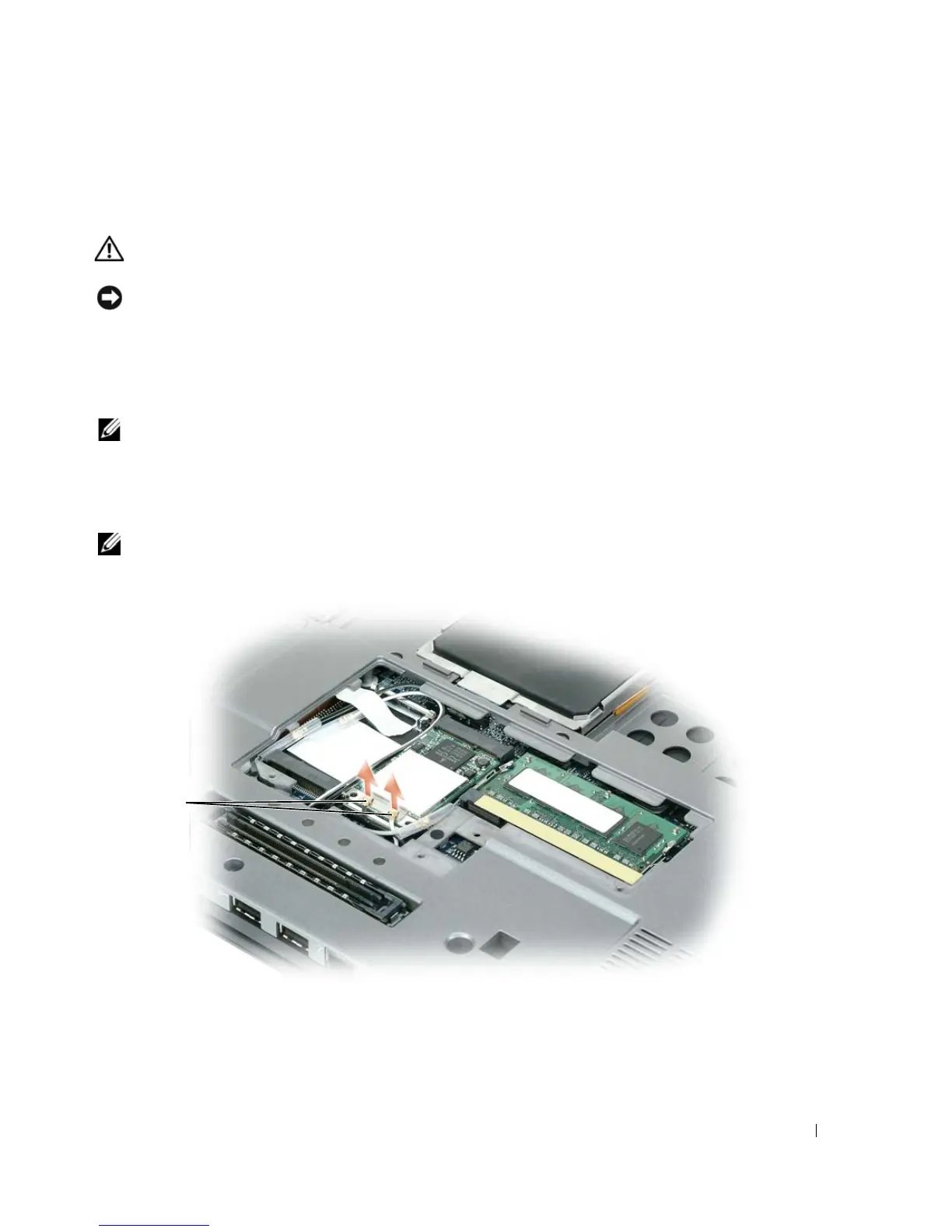
Turn the computer upside-down and remove the memory/Mini-Card module cover.
b
Disconnect the antenna cables from the card.
NOTE: Depending on the type of WLAN-Card you have, either two or three of the three antenna cables may be in
use.
c
Disconnect the antenna cables from the WLAN card.
1 antenna cables (2)
1















 To Next Page