18 About Your Computer
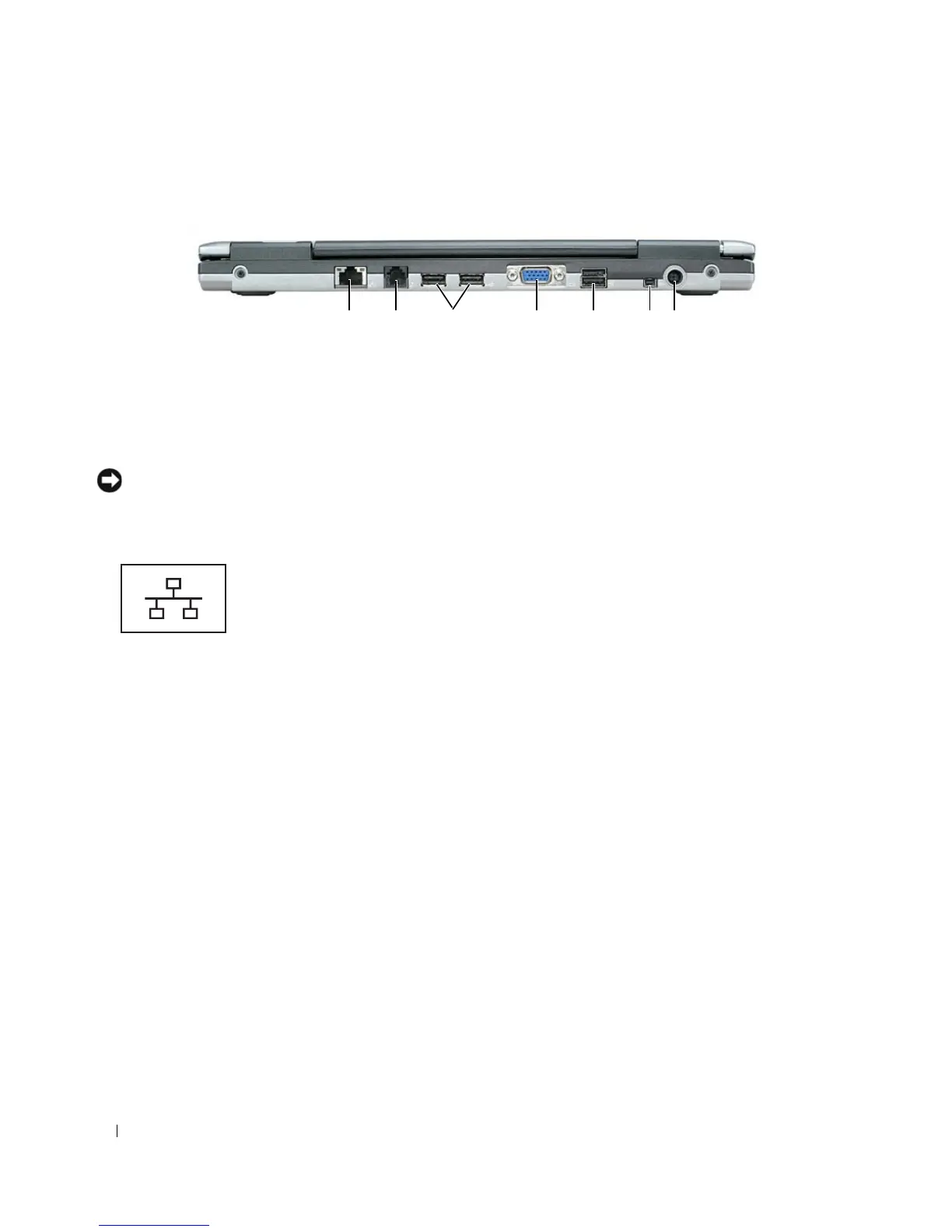
Back View
NETWORK CONNECTOR (RJ-45)
NOTICE: The network connector is slightly larger than the modem connector. To avoid damaging the computer, do
not plug a telephone line into the network connector.
1 network connector (RJ-45) 2 modem connector (RJ-11) 3 USB connectors
4 video connector 5 powered USB connector 6 IEEE 1394 Connector
7 AC adapter connector
Connects the computer to a network. The two lights next to
the connector indicate the status of both the connection
and the transfer of information for wired network
communications.
For information on using the network adapter, see the device
user’s guide supplied with your computer. See "Finding
Information" on page 9.
712 3 4 5 6















 To Next Page