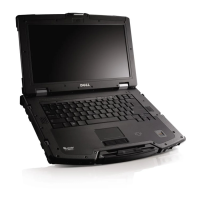
Dell Latitude E6420 XFR Setup and Features Information
Contents | Page 3
Contents
Notes, Cautions, and Warnings .............................................................................2
Front View .................................................................................................................. 4
Figure 1. Front View ..................................................................................... 4
Back View..................................................................................................................5
Figure 2. Back View ..................................................................................... 5
Bottom View ..............................................................................................................6
Figure 3. Bottom View .................................................................................6
Battery Removal........................................................................................................7
Battery Installation ..................................................................................................8
Hard Drive Removal .................................................................................................9
Hard Drive Installation ............................................................................................9
Operating the PrimoSeal™ Doors .......................................................................10
Docking Device Connector Door .................................................................... 10
Press-Latch Doors ............................................................................................10
Slide Latch Doors .............................................................................................. 11
Front Secure Digital Door ................................................................................11
Quick Setup .............................................................................................................12
Figure 4. AC Adapter .................................................................................12
Figure 5. Network Connector ................................................................... 12
Figure 6. USB Connector ..........................................................................13
Figure 7. Power Button .............................................................................13
Smart Cards .............................................................................................................13
RF Pass-Through ..................................................................................................... 14
Direct Vue™ Touch Display Information ............................................................14
Accessing Drivers and Documentation ........................................................14
eGalaxTouch Configuration Utility ......................................................................15
General ...............................................................................................................15
Tools ....................................................................................................................16
Setting ................................................................................................................. 17
Display ................................................................................................................18
Edge Parameters ..............................................................................................18
Hardware............................................................................................................18
About ................................................................................................................... 18
Specifications .........................................................................................................19
Finding More Information and Resources .........................................................23


 To Next Page