Dell Latitude E6420 XFR Setup and Features Information
Page 8 | Battery Installation
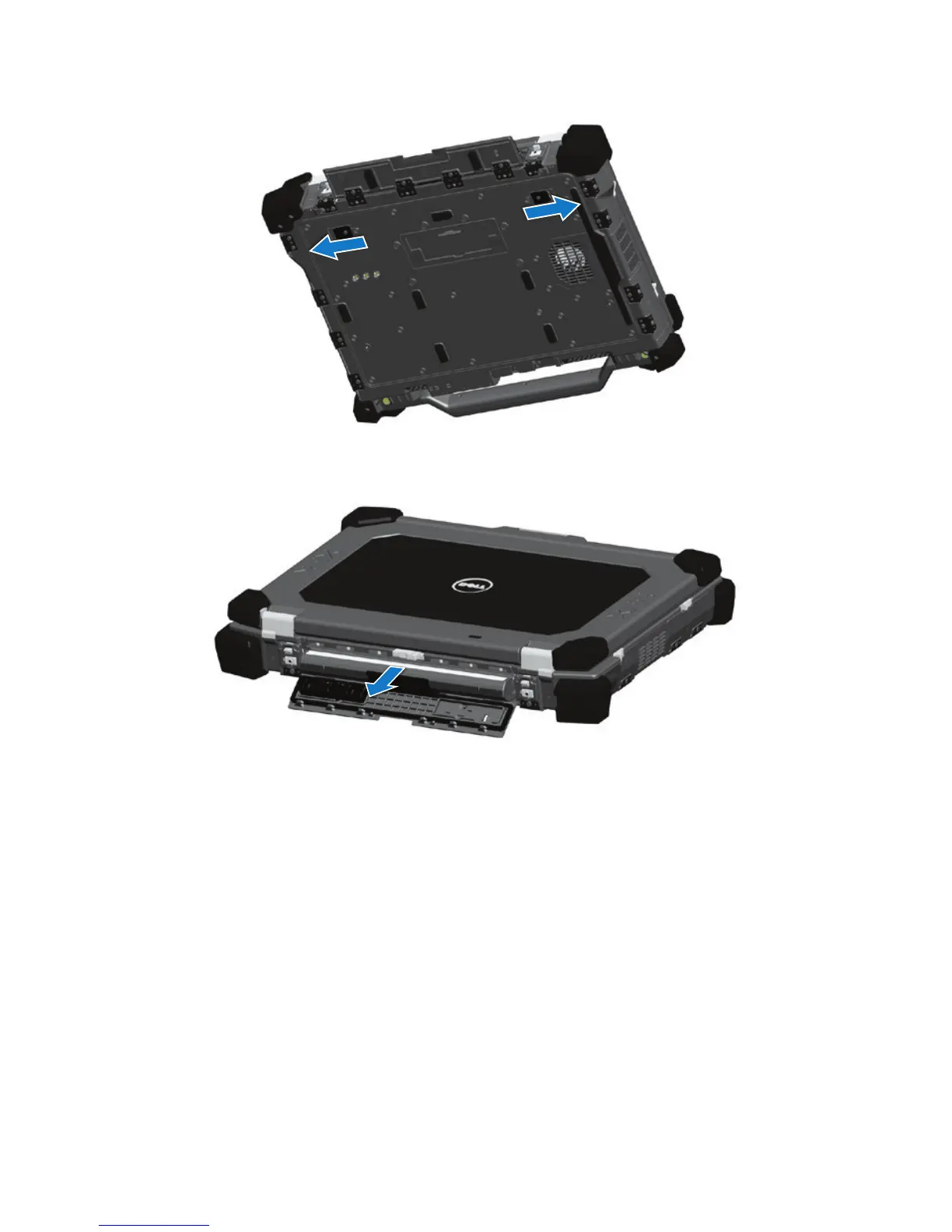
3 Press outward on the two battery release latches on the bottom of the computer.
4 Use the tab on the bottom of the battery to remove the battery to remove the battery from
the computer.
Battery Installation
1 Insert battery until you hear a click and a mechanical stop.
2 Rotate the door into place.
3 Ensure the door is in the fully closed and locked position.


 To Next Page