Dell Latitude E6420 XFR Setup and Features Information
Page 4 | Front View
Front View
21
20
19
18
1617 15 14
13
12
10
11
9
8
7
6
5
4
1321
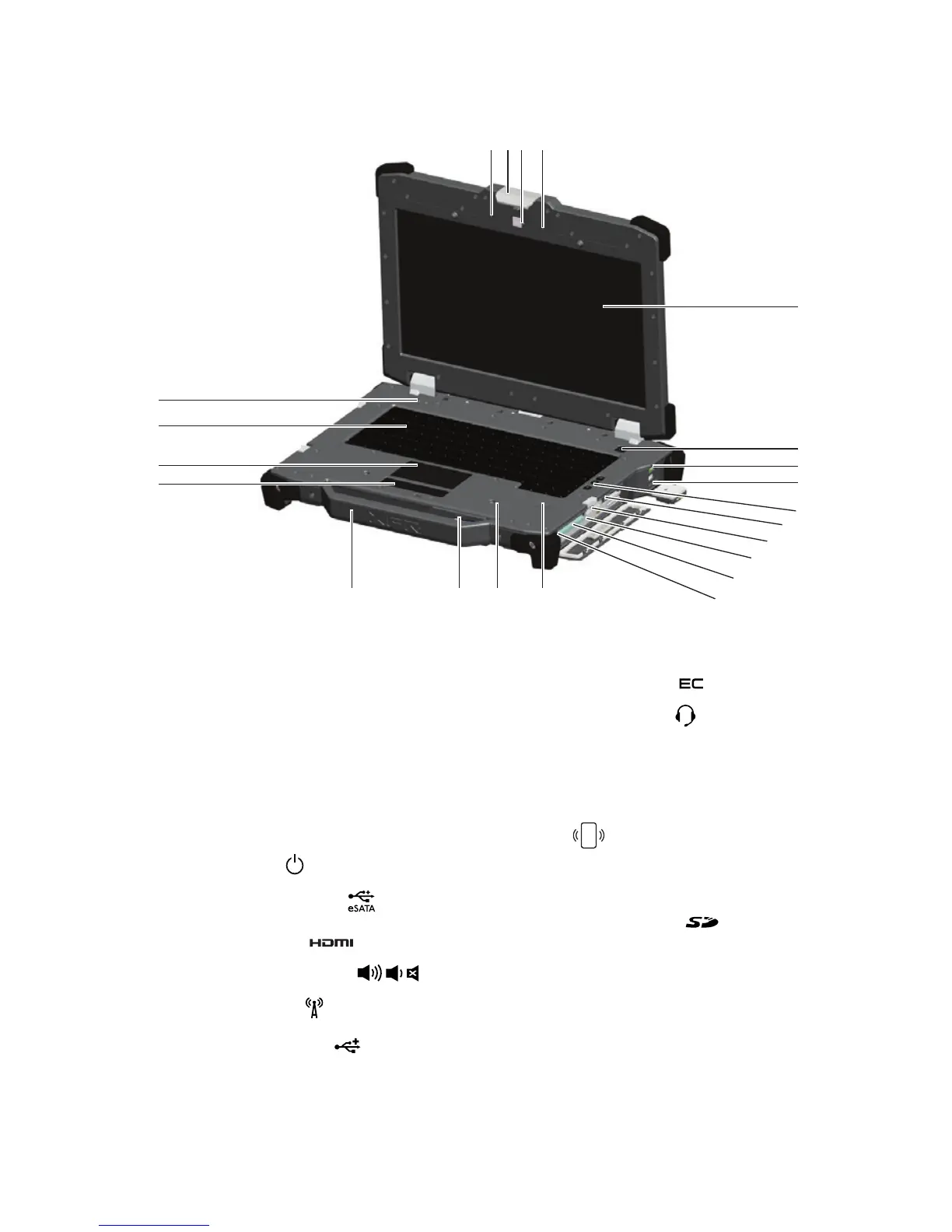
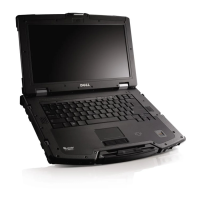
Figure 1. Front View
1. Microphones (2)
2. Display latch
3. Camera (optional) and camera status
light
4. Direct Vue™ outdoor-readable display
(optional touchscreen)
5. Power button (
)
6. eSata/USB connector (
)
7. HDMI connector (
)
8. Volume control buttons (
)
9. Wireless switch (
)
10. USB connectors (2) (
)
11. Media bay modules (optical drives,
second hard drive, second battery,
USB 3.0, legacy I/0 module)
12. Express card slot (
)
13. Audio connector (
)
14. Fingerprint reader (optional)
15. Contactless smart-card reader
(optional) (see “Smart Cards” on page
13) (
)
16. Secure Digital (SD) memory-card
reader (see “Front Secure Digital
Door” on page 11) (
)
17. Handle
18. Touch pad buttons (2)
19. Touch pad
20. Backlit Keyboard (optional rubber
backlit keyboard available)
21. Device status lights


 To Next Page