14 Using Your Projector
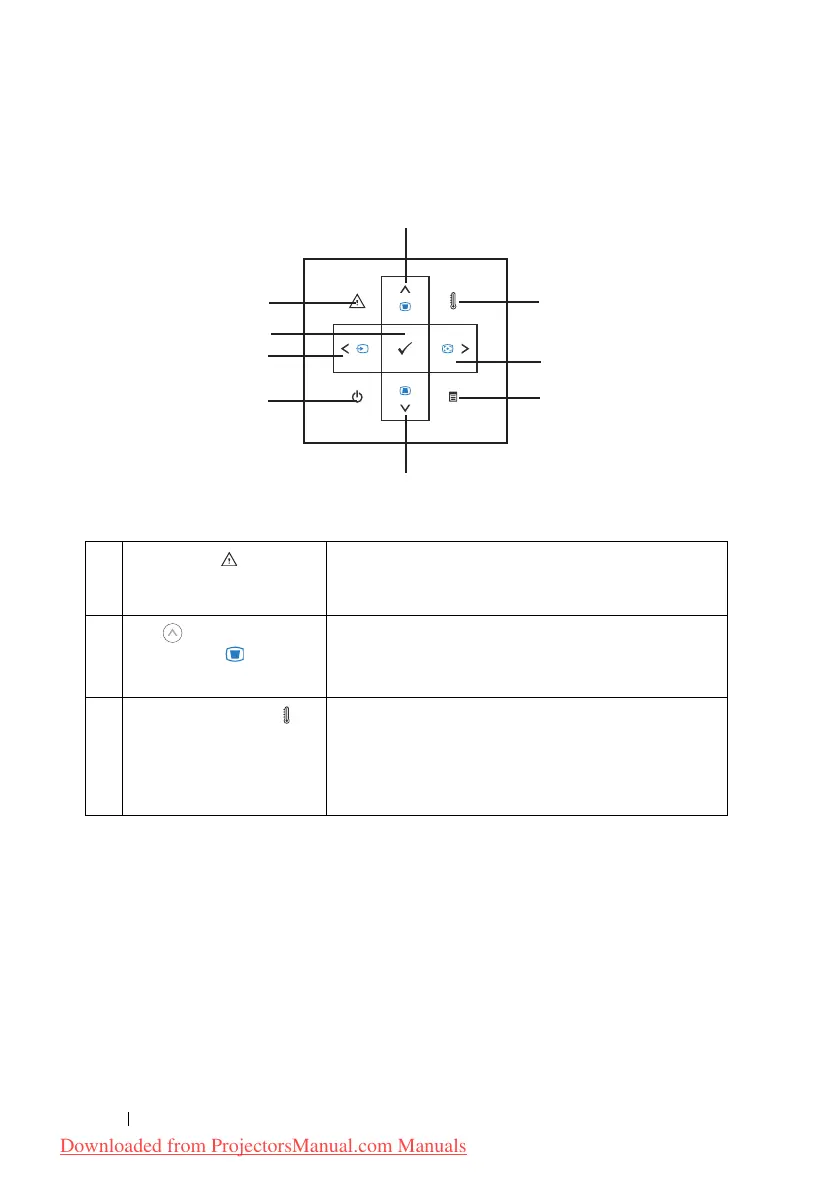
Using the Control Panel
1 Error LED If the error LED is blinking amber, one of the fans
has failed. The projector will automatically shut
down. If the problem persists, contact Dell™.
2 Up / Keystone
adjustment
Press to select the On Screen Display (OSD) items.
Press to adjust image distortion caused by tilting
the projector. (±20 degrees)
3 Temperature LED A solid amber indicates air vents might be blocked
or ambient temperature over 35
o
C. The projector
will automatically shut down. Ensure air vents are
not blocked and ambient temperature is within
operation range. If problem persists, contact Dell™.
1
8
7
6
2
9
Downloaded from ProjectorsManual.com Manuals



 To Next Page