Installing the Bluetooth Module
1. Connect the bluetooth cable to the bluetooth module.
2. Tighten the screw to secure the bluetooth module in place.
3. Insert the bluetooth module in its slot and press down the bluetooth door.
4. Route and connect the bluetooth cable.
5. Install the:
a) base cover
b) battery
6. Follow the procedures in
After Working Inside Your Computer
.
Removing the Display Bezel
1. Follow the procedures in
After Working Inside Your Computer
.
2. Remove the battery.
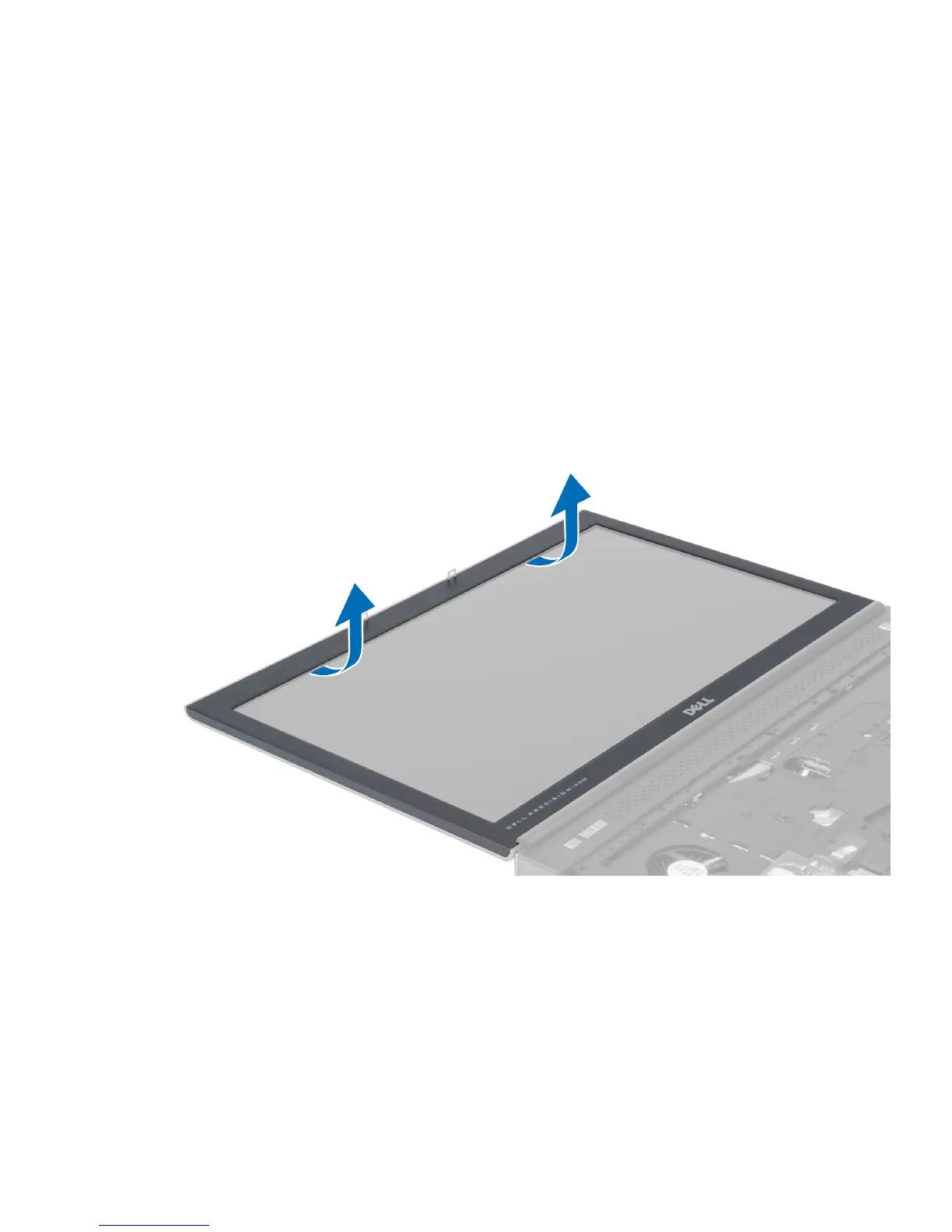
3. Pry up the bottom edge of the display bezel.
4. Work your way around the sides and top edge of the display bezel and remove the display bezel from the
computer .
30




 To Next Page