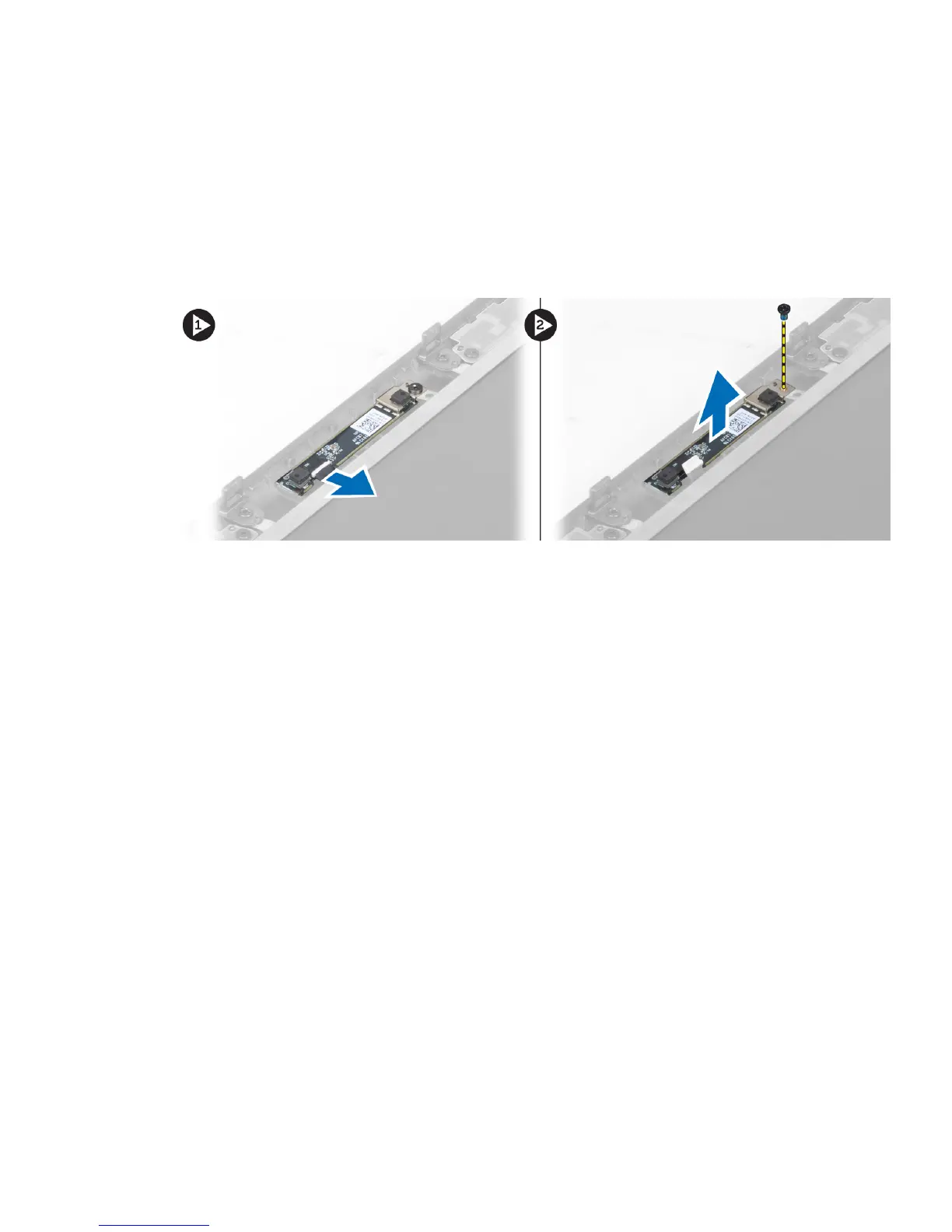
Removing the Camera
1. Follow the procedures in
Before Working Inside Your Computer
.
2. Remove the:
a) battery
b) display bezel
3. Disconnect the camera cable. Remove the screw that secures the camera module to the computer. Remove the
camera module from the computer.
Installing the Camera
1. Place the camera module in its slot on the computer.
2. Tighten the screw to secure the camera module to the computer.
3. Connect the camera cable.
4. Install the:
a) display bezel
b) battery
5. Follow the procedures in
After Working Inside Your Computer
.
Removing the Display Panel
1. Follow the procedures in
Before Working Inside Your Computer
.
2. Remove the:
a) battery
b) display bezel
3. Remove the screw that secures the display panel to the display assembly. Flip the display panel over.
32



 To Next Page