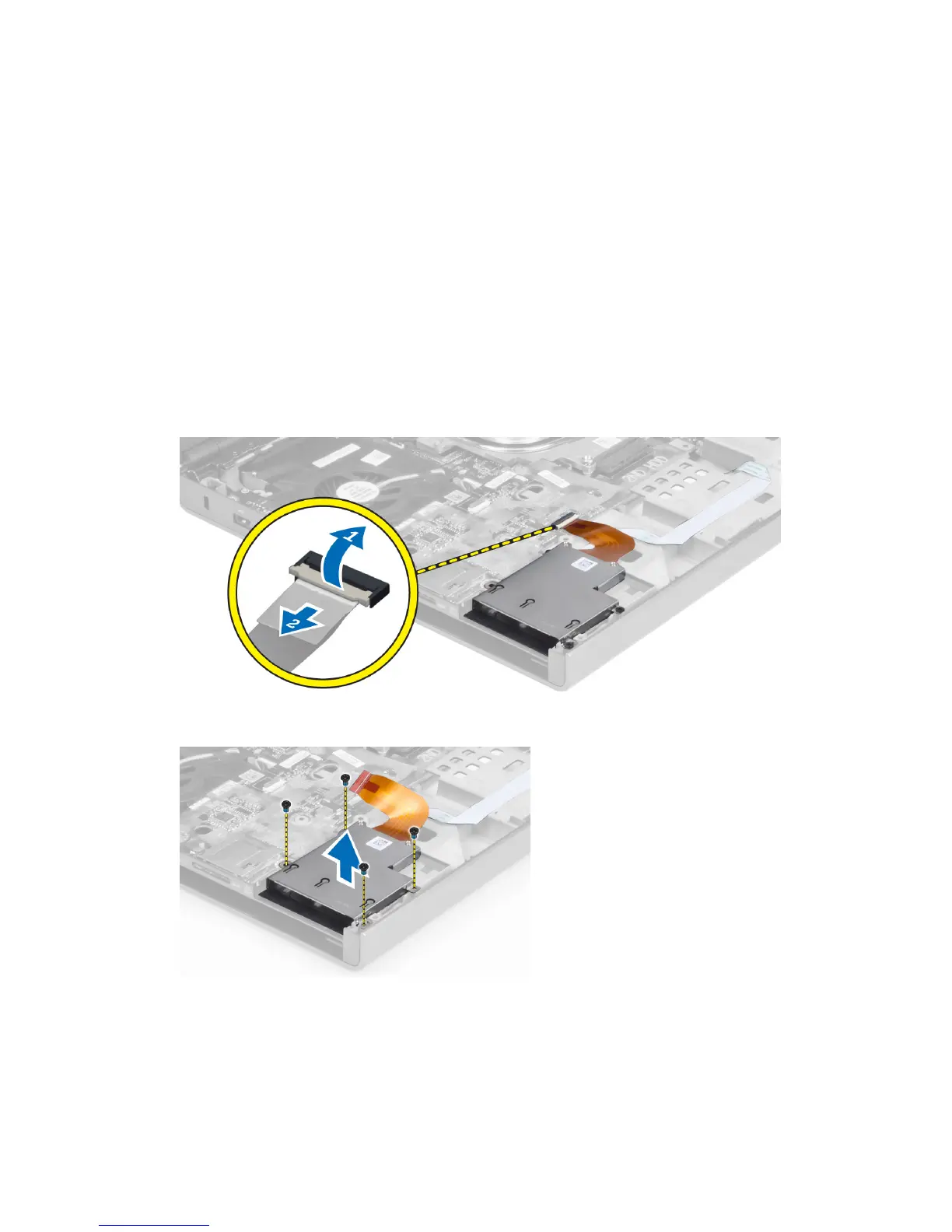
Removing the ExpressCard Module
1. Follow the procedures in
Before Working Inside Your Computer
.
2. Remove the:
a) ExpressCard
b) battery
c) base cover
d) keyboard trim
e) keyboard
f) optical drive
g) primary and secondary hard drive
h) palm rest
3. Disconnect the :
a) ExpressCard cable from the system board
b) the USH board cable from the USH board (M4700 only)
4. Remove the screws that secure the ExpressCard module to the computer and remove the ExpressCard module.
41



 To Next Page