2
Installing enclosure components
Recommended tools
You may need the following items to perform the procedures in this section:
• Key to the system keylock
• #2 Phillips screwdriver
• Wrist grounding strap
Front bezel (optional)
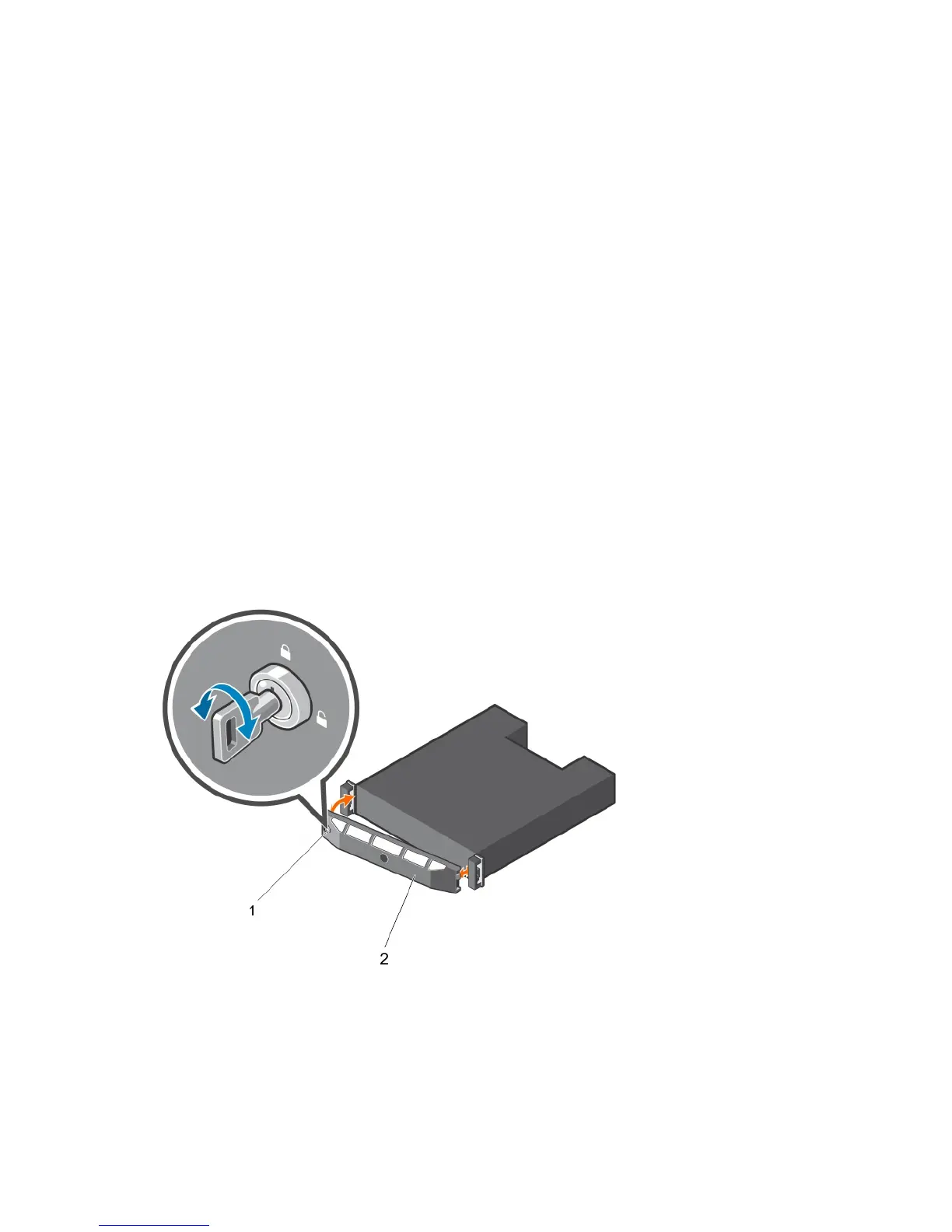
Removing the front bezel
1. Using the system key, unlock the front bezel (if locked).
2. Lift the release latch next to the keylock.
3. Pull the left end of the bezel away from the front panel.
4. Unhook the right end of the bezel and pull the bezel away from the system.
Figure 7. Removing and installing the front bezel
1. keylock 2. front bezel
12













 To Next Page